This free plugin overrides the grouped product template during a subscription switch so that there is a nice button interface showing the prices and which one is current.
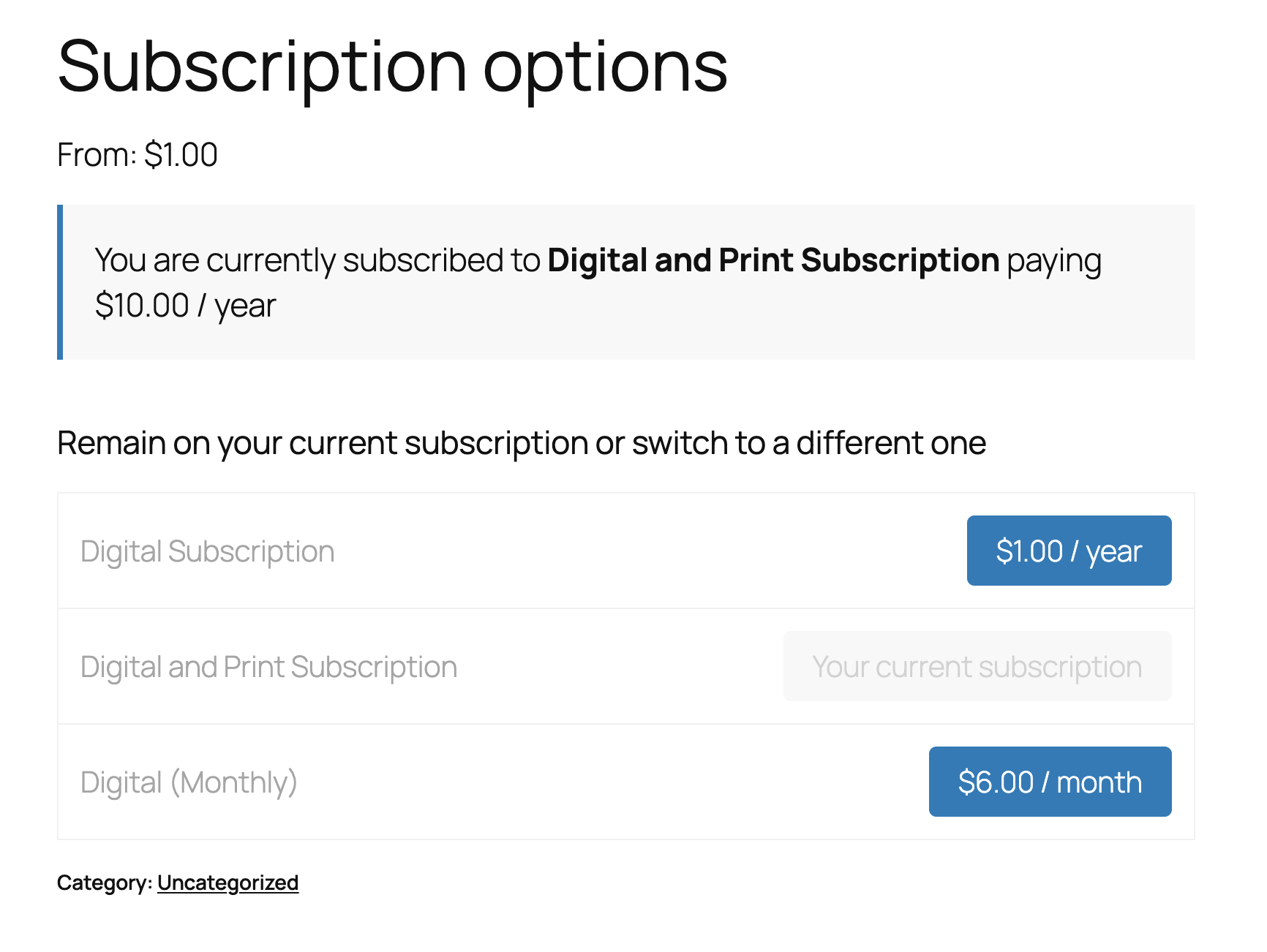
Plugin: Better Subscription Switching Buttons
A WordPress plugin that improves the subscription switching experience in WooCommerce Subscriptions by providing a cleaner, more intuitive interface for switching between subscription plans.
Description
Better Subscription Switching Buttons replaces the default WooCommerce Subscriptions switching interface with a simplified table view that shows clear “Switch” buttons for each available plan. The current plan is clearly marked, and users can switch between plans with a single click.
Currently only works with grouped products.
Installation
- Upload the plugin files to the
/wp-content/plugins/better-subscription-switching-buttonsdirectory, or install the plugin through the WordPress plugins screen directly. - Activate the plugin through the ‘Plugins’ screen in WordPress
- No configuration needed – the plugin will automatically override the grouped product template during a switch
Usage
- Create a grouped product in WooCommerce
- Add subscription products as child products
- The plugin will automatically display the enhanced switching interface on the product page for logged-in users with active subscriptions