I’ve crafted some more free plugins designed to function as mini-extensions for AutomateWoo, an automation powerhouse for WooCommerce sites.
AutomateWoo is basically “If This Then That” (IFTTT), but for WooCommerce. It enables store owners to create powerful workflows to automate emails, rewards, etc., and we often use it as a tool to bulk update WooCommerce Subscriptions.
The following mini-plugins extend the capabilities of AutomateWoo, adding some functions that we’ve used on actual stores.
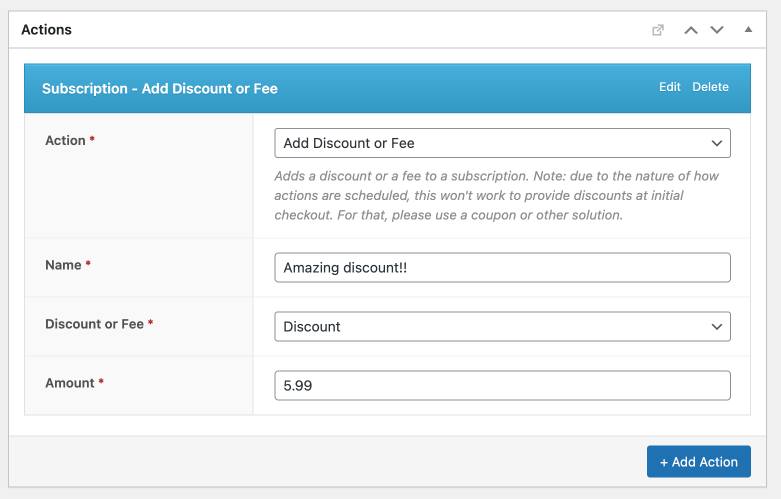
AutomateWoo – Subscription Action Add Discount or Fee
The Subscription Action Add Discount or Fee plugin allows store owners to automatically apply non-taxable discounts or fees to subscriptions after the subscription has already been created. These are added as a “fee” line item on the subscription (not as a discount on individual products).
- Direct plugin link: Subscription Action Add Discount Fee
AutomateWoo – Order Rule Recent Failed Orders
The Order Rule Recent Failed Orders plugin can help you monitor your store for failed orders. It adds three “Shop” rules which check for failed orders over the last 24 hours, 6 hours and 1 hour. You could use this rule to, for example, email you if you have more than X failed orders in 24 hours, indicating a possible problem with your payment processor.
- Direct plugin link: Order Rule Recent Failed Orders
AutomateWoo – Subscription Action Swap Product
The Subscription Action Swap Product plugin provides a method for swapping products within a customer’s existing subscription, without triggering any recalculations. It’s a very simple action that essentially just swaps the product IDs of the line items, and doesn’t change any prices, taxes, etc.
- Direct plugin link: Subscription Action Swap Product
AutomateWoo – Subscription Action Delay Renewal
The Subscription Action Delay Renewal plugin provides an action which extends out the Next Payment Date (the next renewal) of an existing subscription. For example, you could use this to delay the first renewal by 7 days (a real use case).
- Direct plugin link: Subscription Action Delay Renewal
AutomateWoo – Order Action Add Free Product
The Order Action Add Free Product plugin automates the process of adding a complimentary product to a customer’s order. Due to the way that actions are scheduled with AutomateWoo, this is designed for downstream use – particularly after the order has been completed. This was used by a merchant who wanted to add a specific free SKU to packages in such a way that was invisible to the customer when checking out, but before it made it to the shipping provider.
- Direct plugin link: Order Action Add Free Product