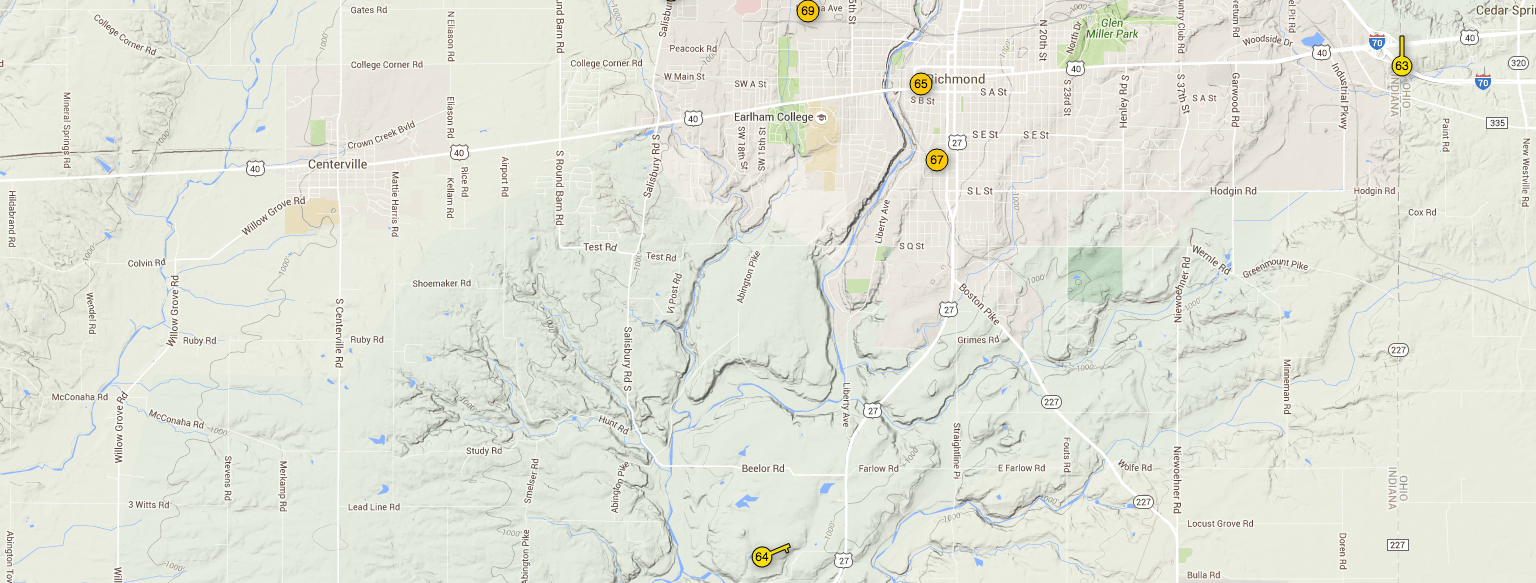
Last year, we installed a wi-fi enabled weather station on our property: the Rainwise MK-III-LR. Every few seconds, it sends updated weather data to the cloud. We chose to route the data to Wunderground, allowing it to be a peer among many personal weather stations in the area, which also opens up the data to the public.
It turns out that the Wunderground API is pretty robust, and I was considering writing a WordPress plugin that would allow you to specify any weather station and have the information display on your site. Unfortunately, the API limits each user to a fairly small amount of monthly calls, unless you want to pay real, cash money. Therefore, to use the plugin, you’d have to sign up for a developer account on Wundergound and use your own API token, which might be a bit above the average blogger’s desire.
Until I find a better solution, I’ll post the code here that I used to display my personal weather data on the farm website.
First, here’s the display on the front end:
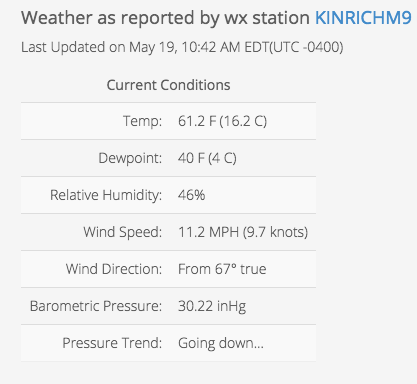
To generate the view on the front end, first I added some HTML.
<h4>Weather as reported by wx station KINRICHM9</h4>
<span id="time_since_observed"></span><span id="offset"></span>
<table class="table table-striped wx">
    <caption><h5>Current Conditions</h5></caption>
    <tr><td>Temp:</td><td><span id="current_temp"></span></td></tr>
    <tr><td>Dewpoint:</td><td><span id="dewpoint"></span></td></tr>
    <tr><td>Relative Humidity:</td><td><span id="humidity"></span></td></tr>
    <tr><td>Wind Speed:</td><td><span id="wind_speed"></span></td></tr>
    <tr><td>Wind Direction:</td><td><span id="wind_direction"></span></td></tr>
    <tr><td>Barometric Pressure:</td><td><span id="baro"></span></td></tr>
    <tr><td>Pressure Trend:</td><td><span id="baro_trend"></span></td></tr>
 </table>
Then, we need to make the call to the API with JavaScript.
<script>
jQuery(document).ready(function($) {
$.ajax({
url : "http://api.wunderground.com/api/REPLACE_WITH_YOUR_API_TOKEN/geolookup/conditions/q/pws:KINRICHM9.json",
dataType : "jsonp",
success : function(parsed_json) {
var time = parsed_json['current_observation']['observation_time'];
var time_offset = parsed_json['current_observation']['local_tz_offset'];
var temp_f = parsed_json['current_observation']['temp_f'];
var temp_c = parsed_json['current_observation']['temp_c'];
var hum = parsed_json['current_observation']['relative_humidity'];
var dewpoint = parsed_json['current_observation']['dewpoint_string'];
var wind_speed = parsed_json['current_observation']['wind_mph'];
var wind_knots = Math.round((wind_speed / 1.16) * 10) / 10;
var wind_degrees = parsed_json['current_observation']['wind_degrees'];
var baro = parsed_json['current_observation']['pressure_in'];
var baro_trend = parsed_json['current_observation']['pressure_trend'];
var baro_trend_text = "Can't calculate (I broke my abacus)";
if (baro_trend == "+") { baro_trend_text = "Going up, yay!"};
if (baro_trend == "-") { baro_trend_text = "Going down…"};
$( "#time_since_observed" ).replaceWith(time);
$( "#offset" ).replaceWith("(UTC " + time_offset + ")");
$( "#current_temp" ).replaceWith(temp_f + " F (" + temp_c + " C)");
$( "#humidity" ).replaceWith(hum);
$( "#dewpoint" ).replaceWith(dewpoint);
$( "#wind_speed" ).replaceWith(wind_speed + " MPH (" + wind_knots + " knots)");
$( "#wind_direction" ).replaceWith("From " + wind_degrees + "° true");
$( "#baro" ).replaceWith(baro + " inHg");
$( "#baro_trend" ).replaceWith(baro_trend_text);
}
});
});
</script>
It should be noted that this only updates on page refresh, and is really just a test to see if the API would access our weather data.