Blog

  • Clearing a Clogged Action Scheduler Queue – WooCommerce

    Clearing a Clogged Action Scheduler Queue – WooCommerce

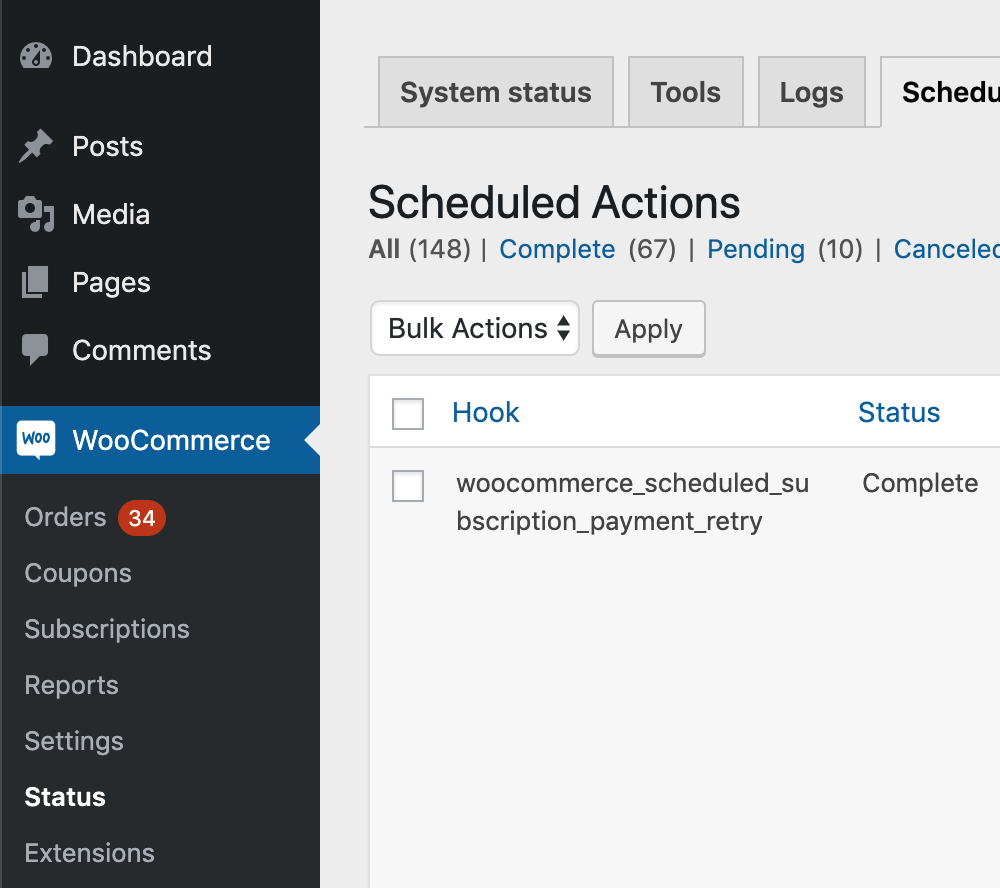
    Clear out completed & cancelled actions safely

    Would you like to clear out the Action Scheduler 3.0+ completed and cancelled actions in a safe way? You can add this filter to your site:

    add_filter( 'action_scheduler_retention_period', function() { return DAY_IN_SECONDS * 14; } );

    This will change the scheduled action retention period to 14 days (instead of the default 30 days). After your completed actions get down to a reasonable number, you can then remove that filter.

    You could also shorten it to one day, wait a day, then remove it.


    Clear out pending actions safely

    Speed Up Processing

    The best approach is to just speed up the processing of actions so that the queue completes.

    There are a few approaches for this, from simplest to hardest:

    1. update WordPress, WooCommerce & Subscriptions. Specifically, if Subscriptions 3.0+, WooCommerce 4.0+, and WordPress 5.1+ are running, processing speeds should be much higher than with prior versions. If you aren’t already running those or another plugin that includes Action Scheduler 3.0+, the first step is to update to one of those. If you’re not sure, you can also load Action Scheduler 3.0+ as a standalone plugin: https://github.com/woocommerce/action-scheduler/releases
    2. if the above doesn’t work, because it’s not processing actions fast enough, then it may be necessary to setup WP CLI runners. Two helpful guides on that:
      1. A general guide to using WP CLI: https://actionscheduler.org/wp-cli/
      2. A specific guide for running Action Scheduler via WP CLI on Pantheon: https://pantheon.io/blog/high-performance-background-processing-woocommerce-pantheon (the general approach is transferrable to other hosts)

    Note: we used to recommend the Action Scheduler high volume plugin: http://github.com/Prospress/action-scheduler-high-volume/

    This plugin will still work, but upgrading to AS 3.0+ will give all of the same benefits with the new async queue runner.


    Clear out pending actions dangerously (you know what you’re doing)

    NOTE: The queries below should be used at your own risk, on a staging site, etc.

    Delete Data

    If it’s not possible to speed up processing enough to clear the pending actions, then it may be necessary to clear the queue by deleting pending scheduled webhook actions.

    This is only safe when you know the pending webhook actions aren’t necessary. For example, reporting plugins like Metorik use Webhooks as a backup data sync method, so they canbe safely synced. Some services will require these webhooks, in which case, it’s not safe to simply delete them.

    To delete the actions:

    1. deleting logs and metadata for those scheduled webhook actions
    2. deleting all scheduled webhook actions

    The queries to do this:

    1. Delete logs for scheduled webhook actions

    DELETE lg FROM wp_actionscheduler_logs lg
    LEFT JOIN wp_actionscheduler_actions aa
    ON aa.action_id = lg.action_id
    WHERE aa.status LIKE 'pending'
    AND aa.hook LIKE 'woocommerce_deliver_webhook_async'

    2. Delete trashed scheduled webhook actions

    DELETE FROM 'wp_actionscheduler_actions'
    WHERE status = 'pending'

    AND hook = 'woocommerce_deliver_webhook_async'

    Other Helpful Queries

    Query to find actions processed in a 1-hour window (update dates to suit):

    SELECT hook, COUNT(*)
    FROM wp_actionscheduler_actions
    WHERE status = 'complete'
    AND last_attempt_gmt > '2020-05-08 06:30:00'
    AND last_attempt_gmt < '2020-05-08 07:30:01'
    GROUP BY hook

    Query to find pending actions in the past:

    SELECT hook, COUNT(*)
    FROM wp_actionscheduler_actions
    WHERE status = 'pending'
    AND last_attempt_gmt < '2019-02-08 00:00:00'
    GROUP BY hook
  • Auto-add free shipping coupon for initial orders only for WooCommerce Subscriptions

    Auto-add free shipping coupon for initial orders only for WooCommerce Subscriptions

    Synopsis

    Customer wanted to offer free shipping on any orders of at least $25. Additionally, they wanted any subscription renewals to charge shipping normally – the free shipping should only apply to the initial order.

    To solve this, I’ve suggested using a free shipping coupon, which is applied automatically to the cart if it’s $25 or more. The end result is:

    • Free shipping on initial cart (if it is at least $25)
    • Normal shipping charged on any subscription renewals for subscription products purchased.

    Step 1 – Create Free Shipping Coupon

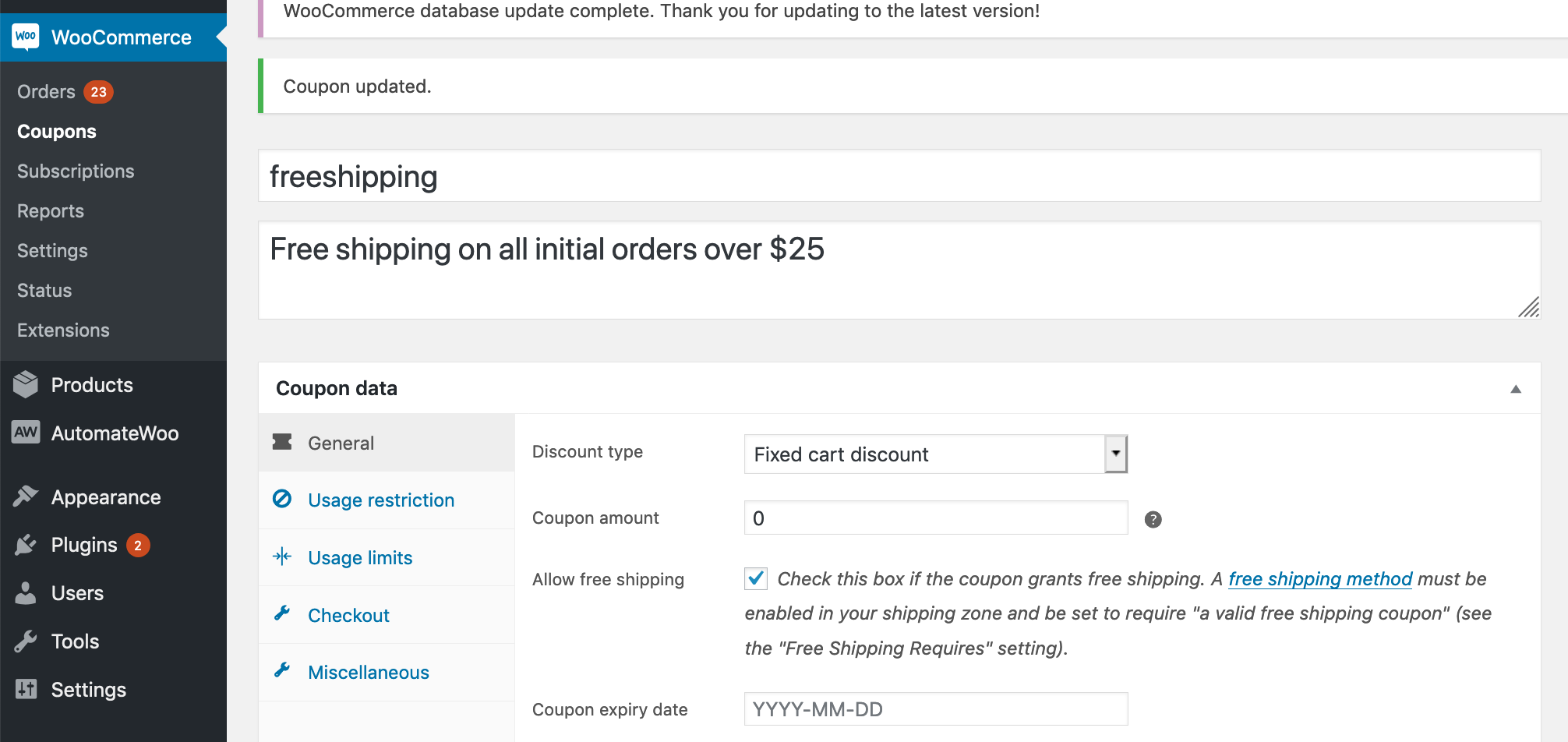
    1. Go to WooCommerce > Coupons > “Add coupon”
    2. Create a fixed cart discount named “freeshipping”
    3. Set it to a $0 discount, and click “grants free shipping”
    4. Optionally limit coupon to a $25 minimum

    Create a freeshipping coupon

    NOTE: For free shipping coupons to work, you have to have a free shipping option set in your shipping settings. Be sure to select “Free shipping requires a valid coupon” for this shipping option.

    Step 2: Auto-apply coupon

    To auto-apply a coupon to the cart without using a 3rd-party plugin, you can add this snippet to your theme’s functions.php file. This particular snippet is set up to auto-apply on all initial orders of at least $25, but it can be edited as needed to conditionally check for quantities, products, etc.

    The end result is a free shipping coupon that is automatically applied to the initial order, but not applied to the recurring cart.

  • Remove Coupons from Cart with Subscriptions

    Remove Coupons from Cart with Subscriptions

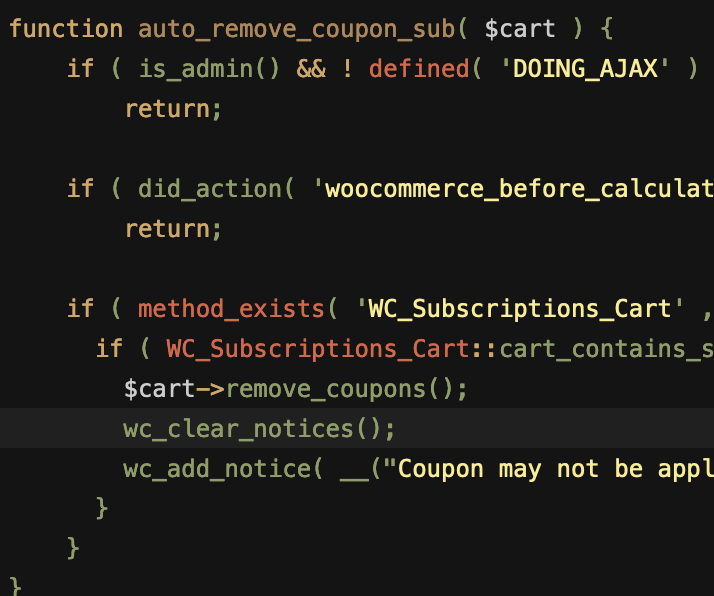
    Remove coupons from cart if there’s a subscription product in it.

  • WooCommerce Subscriptions Restrict Product

    WooCommerce Subscriptions Restrict Product

    Here’s a mini-plugin I wrote which extends the functionality of WooCommerce Subscriptions. It restricts subscription products to a certain number of total active (unended) subscriptions on a site.

    Use case: store owner wants products and subscriptions to have a one-to-one relationship, i.e. each product should only be subscribed to once. For example, subscription product is a child to be sponsored, and only one subscriber should be sponsoring that child at a time.

    This plugin creates and maintains a list of products that have unended subscriptions associated with them, then makes these products unpurchasable from front end to make sure that the subscription product can only be subscribed to a certain number of times. It doesn’t change ability to check out with product, so that customer can pay for failed order through cart, and manual renewals are unaffected.

    Note: This plugin is designed to work independently of the WooCommerce inventory system, and so inventory should be disabled for all subscription products, or you may have problems with customers not being able to pay for failed renewal orders manually.

    Installation

    To install:

    1. Download the latest version of the plugin here
    2. Go to Plugins > Add New > Upload administration screen on your WordPress site
    3. Select the ZIP file you just downloaded
    4. Click Install Now
    5. Click Activate

    How-to

    Set Product Restriction

    There are two ways to set a product restriction, either storewide or on a product level. Setting a product level restriction is more specific and will override the storewide default. If you set either to ‘0’ or leave them empty, they are considered not set.

    Storewide Restriction

    You can set a default storewide restriction which will apply to all subscription products by going to WooCommerce -> settings -> Subscriptions (tab) -> Product Restriction

    Admin settings

    Product-level Restriction

    You can also set a product restriction for a specific product by editing the product, and clicking on the ‘Advanced Options’ tab in the Product Data metabox. This will set the product restriction on a product level for simple and variable subscription products. That means that the restriction applies no matter which variation of a variable product is subscribed to.

    • To activate the product-level restriction, you must click the “Activate product-level restriction” checkbox.
    • If “Activate product-level restriction” checkbox is checked, but the restriction quantity is blank, then no restriction will be applied to this product, even if there is a systemwide default set elsewhere.
    Product settings

    Renewals and Switching

    Renewals and Switches are taken into account when checking if a purchase should be restricted.

    Renewals

    Automatic renewals are not restricted at all, and should process normally. Similarly, manual renewals will still allow the product to be purchased/renewed through the cart.

    Subscription Switching

    Switching is accounted for when checking restrictions. When switching between simple subscription products, the checks still occur as normal. When switching between variations of the same product, the restrictions are ignored, allowing the switch to occur.

    Visibility

    When displaying a product in the catalog or archive pages, this plugin will hide the product if it is restricted, and if the ‘Out of stock visibility’ option is checked in WooCommerce settings -> products -> inventory tab.

    Warning Messages

    There is currently no way to customize the warning message presented when a restriction is encountered. Additionally, when product variations are deemed not purchasable, the default WooCommerce alert box is triggered, which is not descriptive of why.

    For this reason, we recommend you add in some descriptive text to your product description indicating that it is restricted, and why.

    Additional Notes

    • Restrictions don’t apply retroactively, only to future purchases. In other words, any given purchase is checked against the current restriction and current number of active site-wide subscriptions. No already-existing subscriptions will be cancelled or suspended if you change the restriction number. Future purchases will be checked against subscriptions that existed before the plugin was activated, however.
    • Deactivating the plugin will stop the restriction checks, and will delete the cache. However, the restriction option values (set in the WooCommerce settings tab or product options) will stay in place in case you choose to reactivate the plugin in the future.

    Troubleshooting

    View cache

    To view the current cache for troubleshooting purposes, navigate to the ‘plugins’ page and click the ‘view cache’ option.

    Updates

    To keep the plugin up-to-date, use the GitHub Updater.

    Reporting Issues

    If you find a problem or would like to request this plugin be extended, please open a new Issue.

  • Dactyl Manuform Build Log

    Dactyl Manuform Build Log


    Some Light Reading

    • http://blog.komar.be/how-to-make-a-keyboard-the-matrix/
    • http://pcbheaven.com/wikipages/How_Key_Matrices_Works/

    Parts

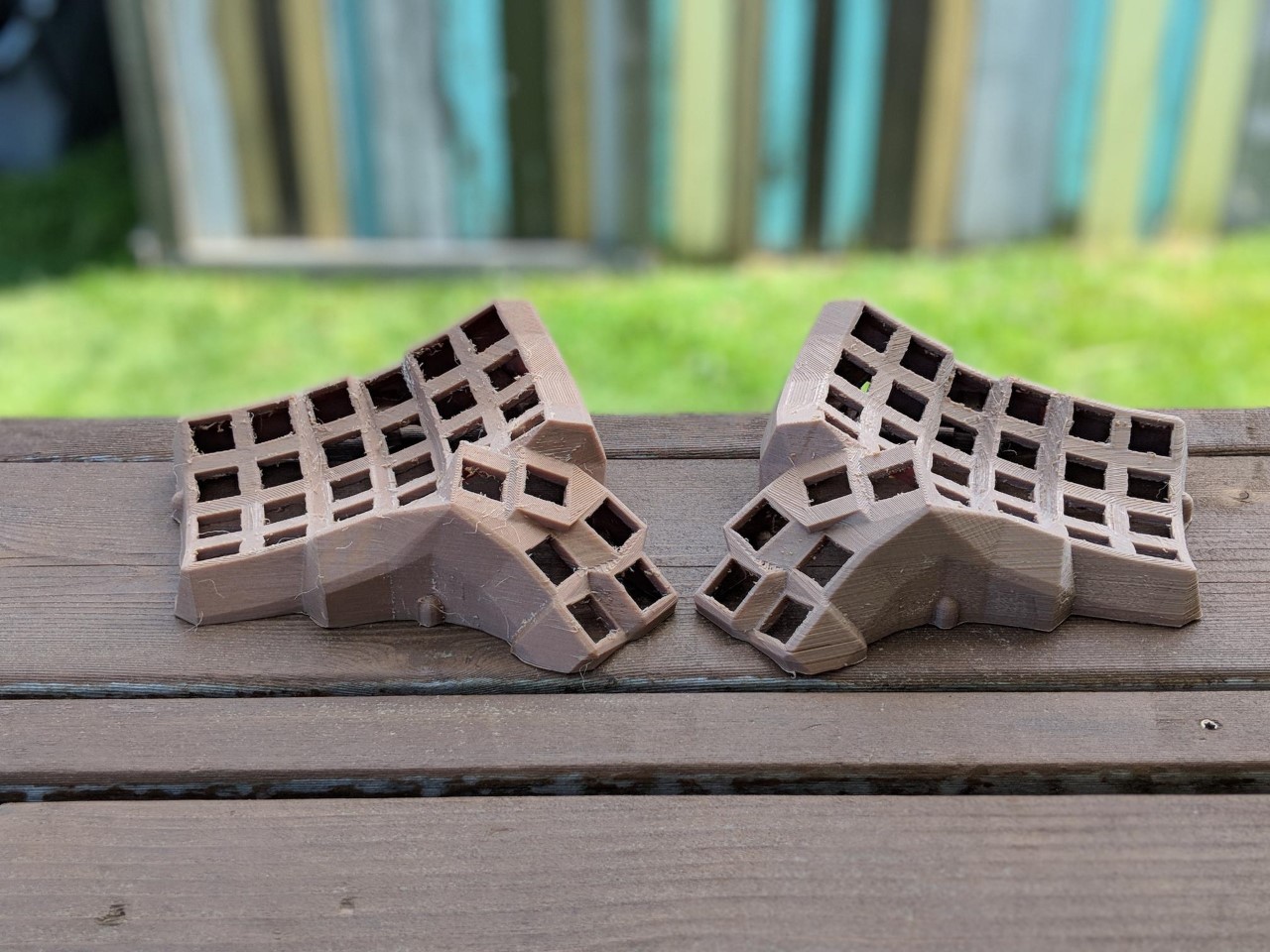
    Case 3d printed custom by u/crystalhand using 30% wood filament. Based on these files, edited for BOX switches and TRRS connectors, as well as placing the pro micro holders in slightly different location.

    2 Pro Micros
    2 RJ9/TRRS connectors
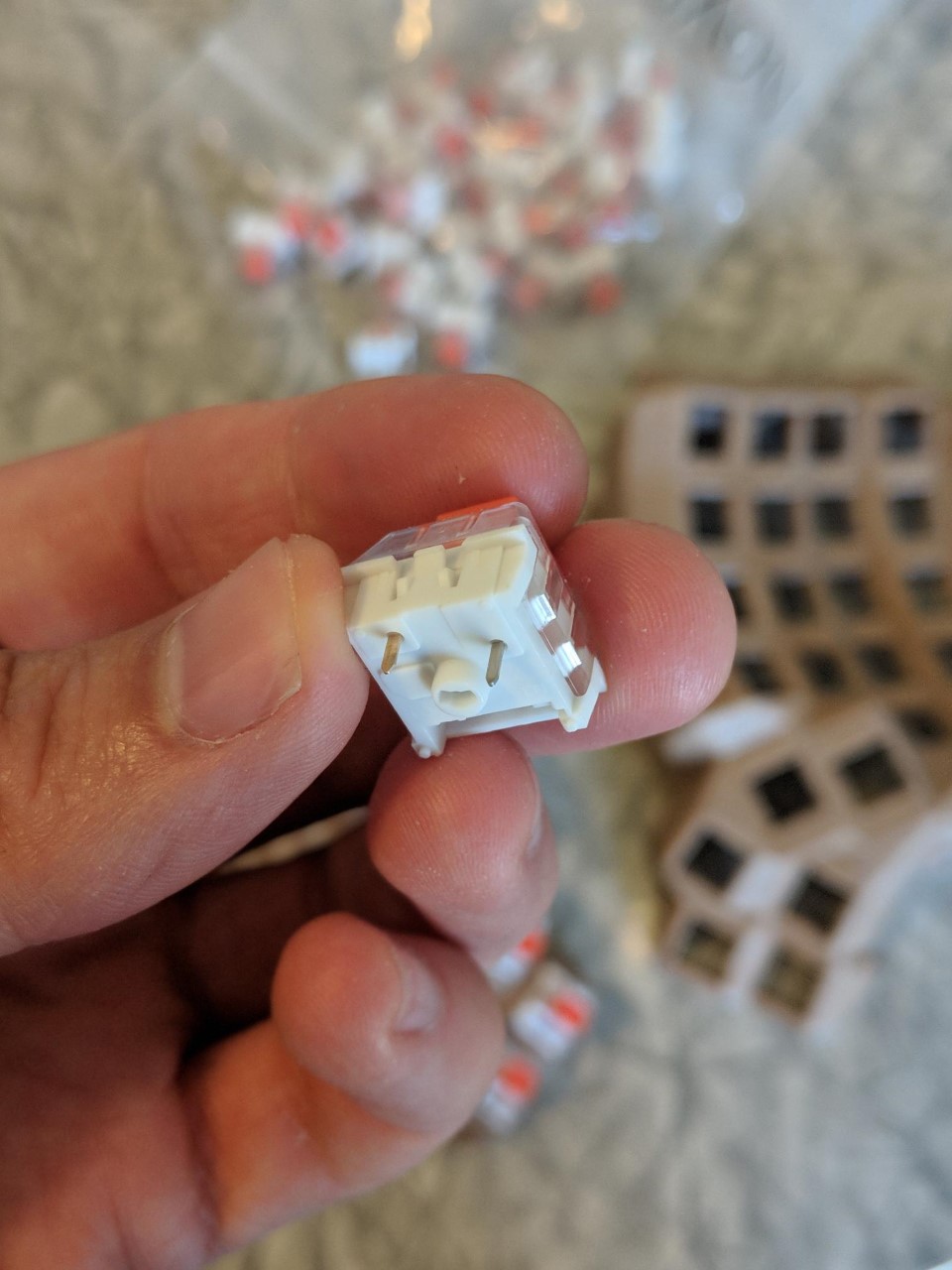
    76 BOX Burnt Orange switches
    76 Diodes
    XDA Keycaps. Mostly from here.

    Wire
    Solder
    Soldering iron
    Wire Stripper
    Hot Glue Gun
    Tweezers

    Assembly

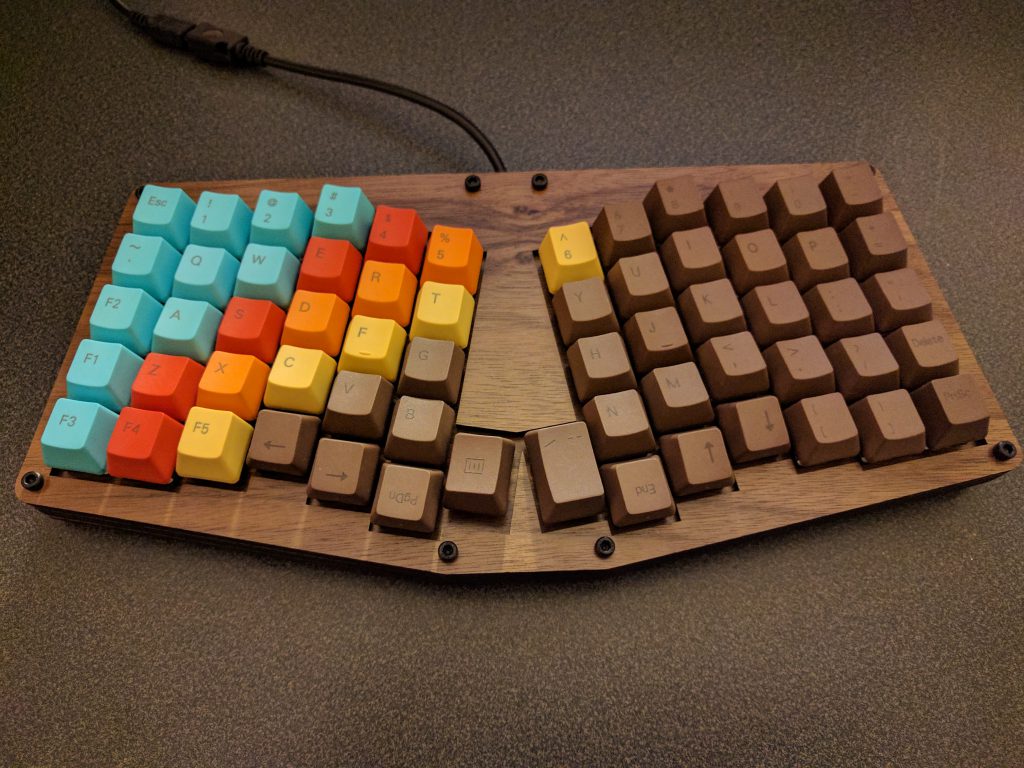
    Took a few hours of sanding after this pic. I decided I liked the unstained, unpainted look. It’s homemade, and I want it to look that way.

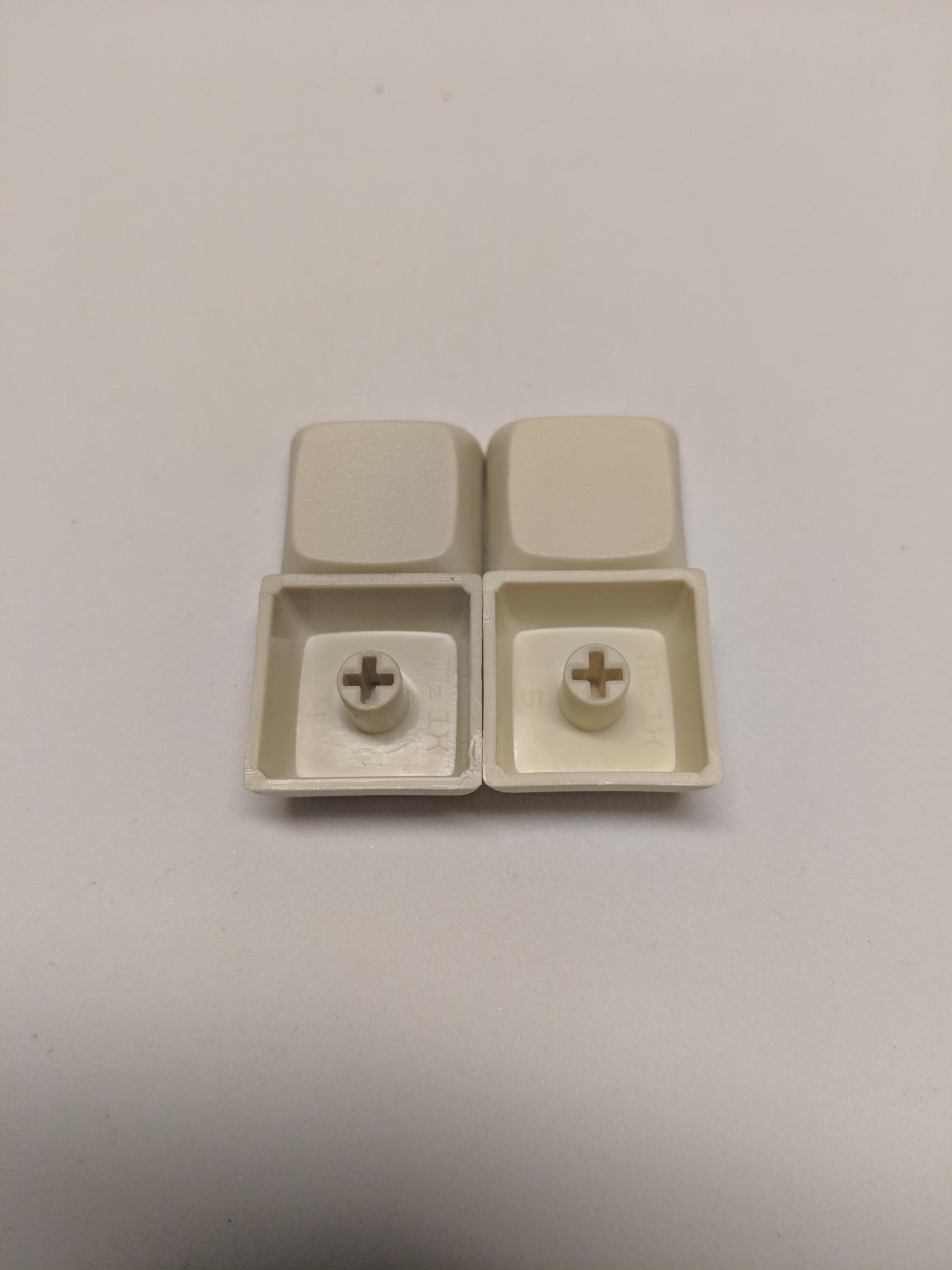
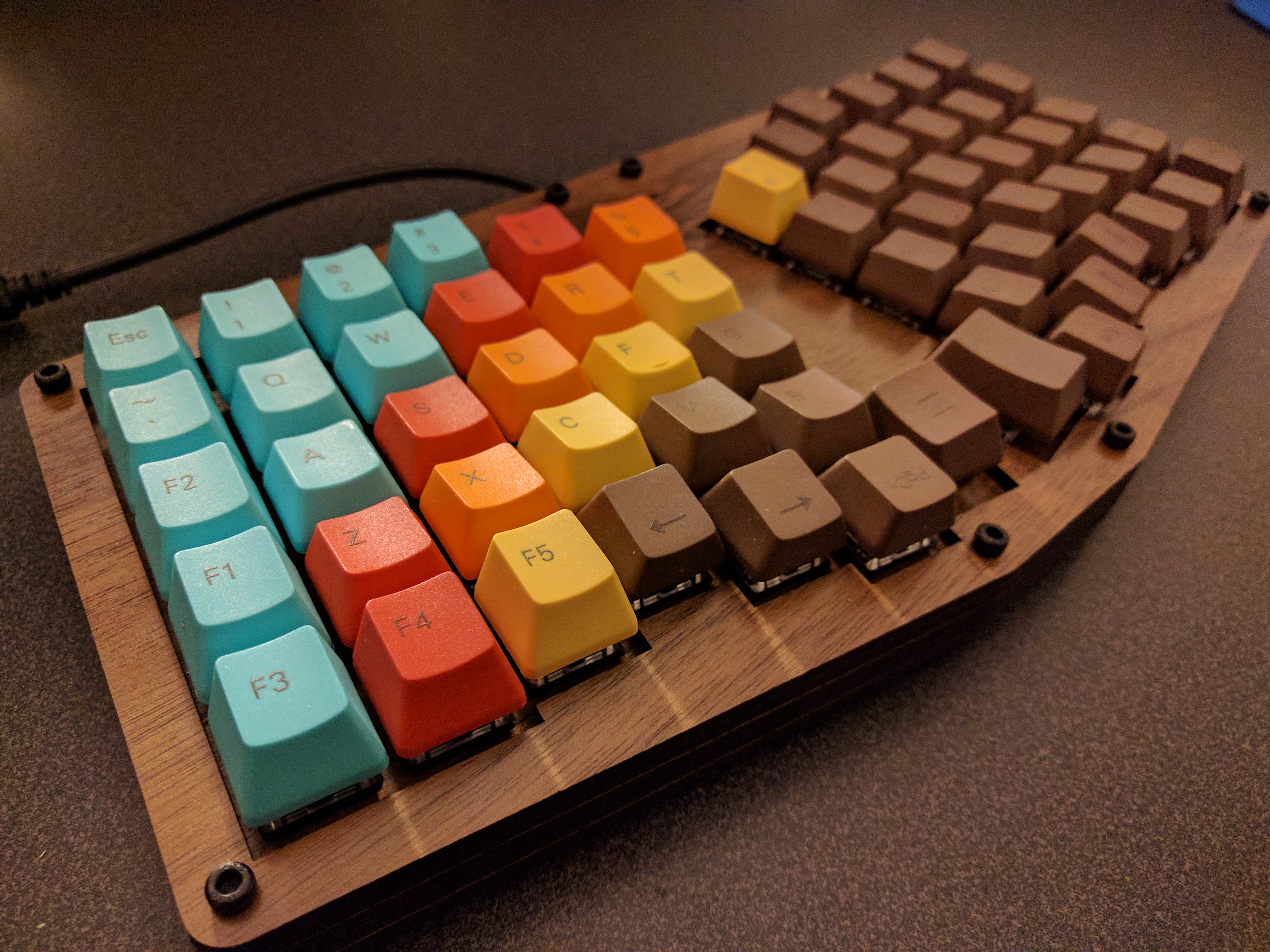
    Making sure the keycaps I sourced from a couple of different places were close enough in color. Name brand vs. chinese aliexpress generics. Good enough for me!

    Wiring

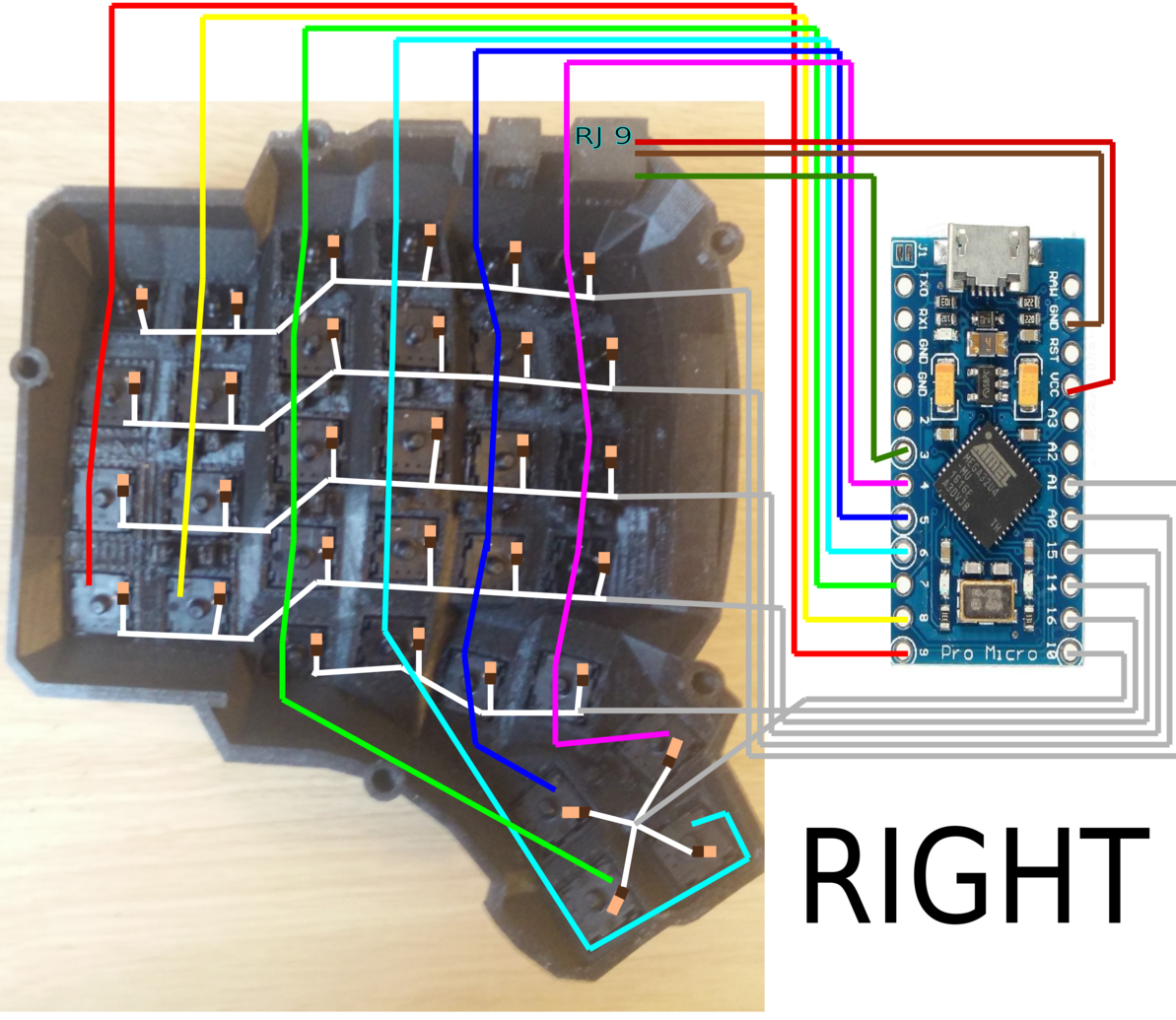
    Wiring diagrams here: https://github.com/abstracthat/dactyl-manuform

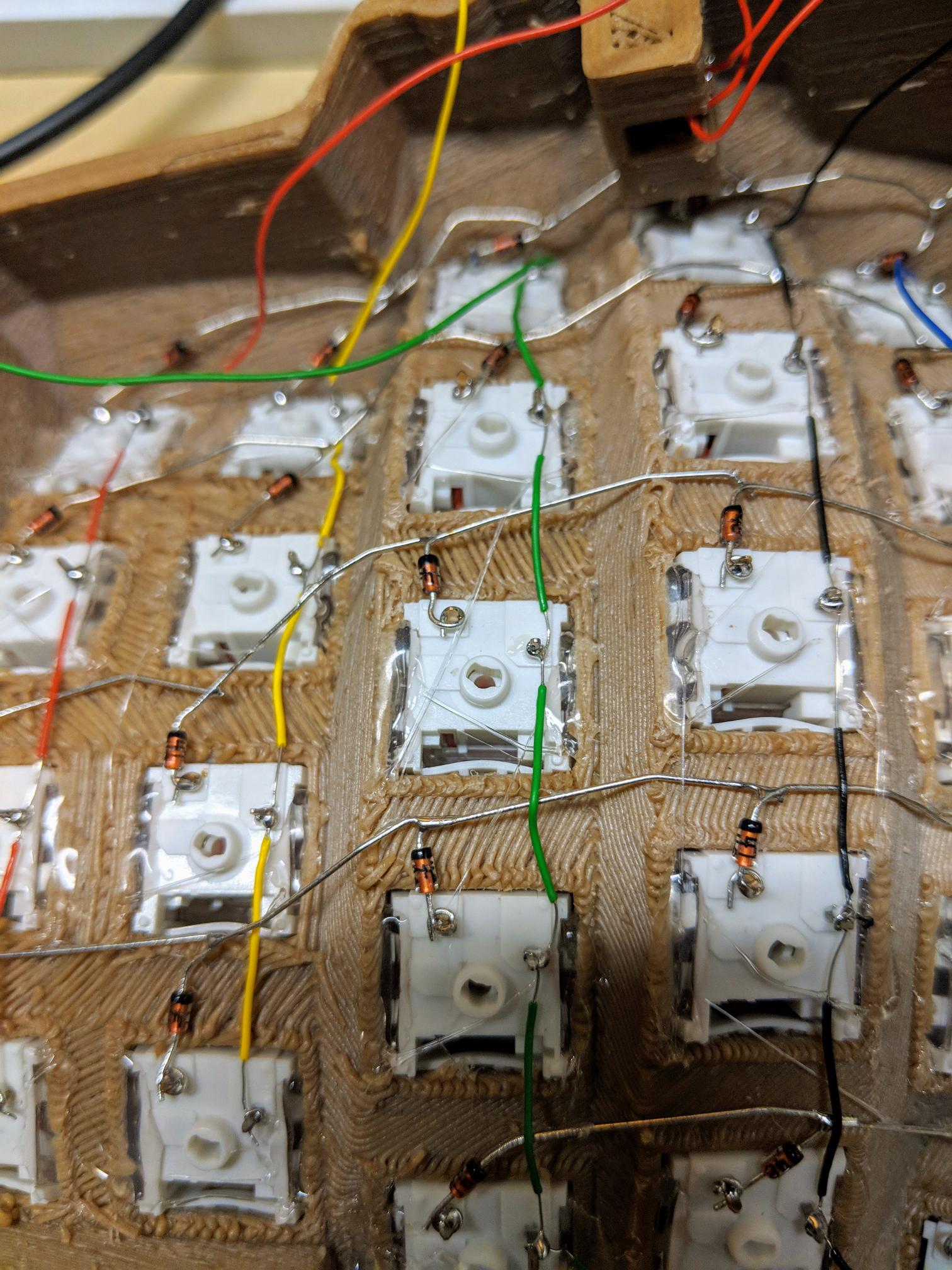
    Diodes going into place.

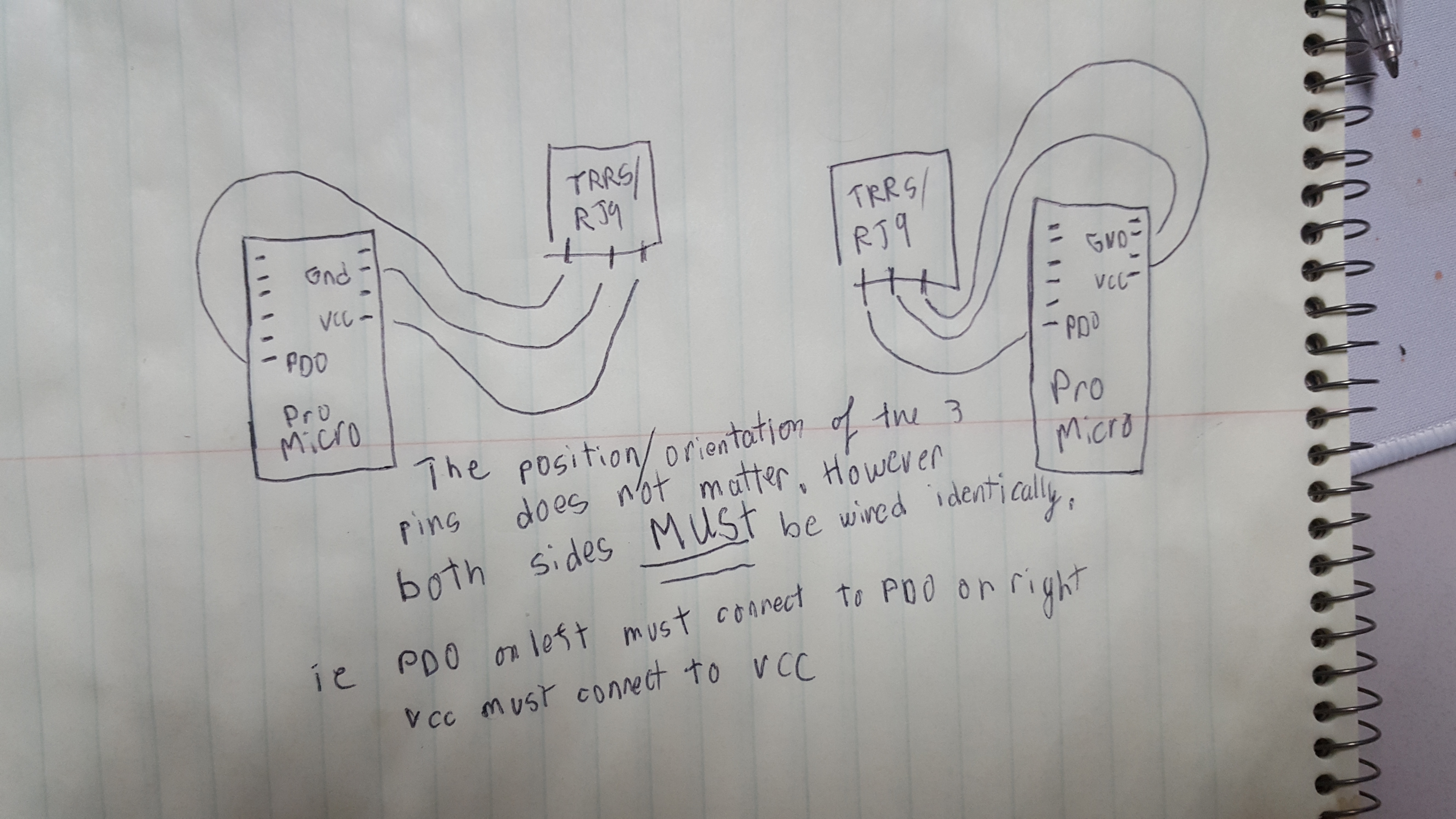
    Regarding the RJ9/TRRS connectors: TRRS connectors have 4 pins, but the diagram only shows 3 wires, which means there will be an extra unused pin. Just pick 3 and use them. If you got normal TRS connectors instead, they would only have 3 pins, but the same concept would apply. The position/orientation of which pins you connect to doesn’t matter, as long as they are wired identically. (thanks u/crystalhand)
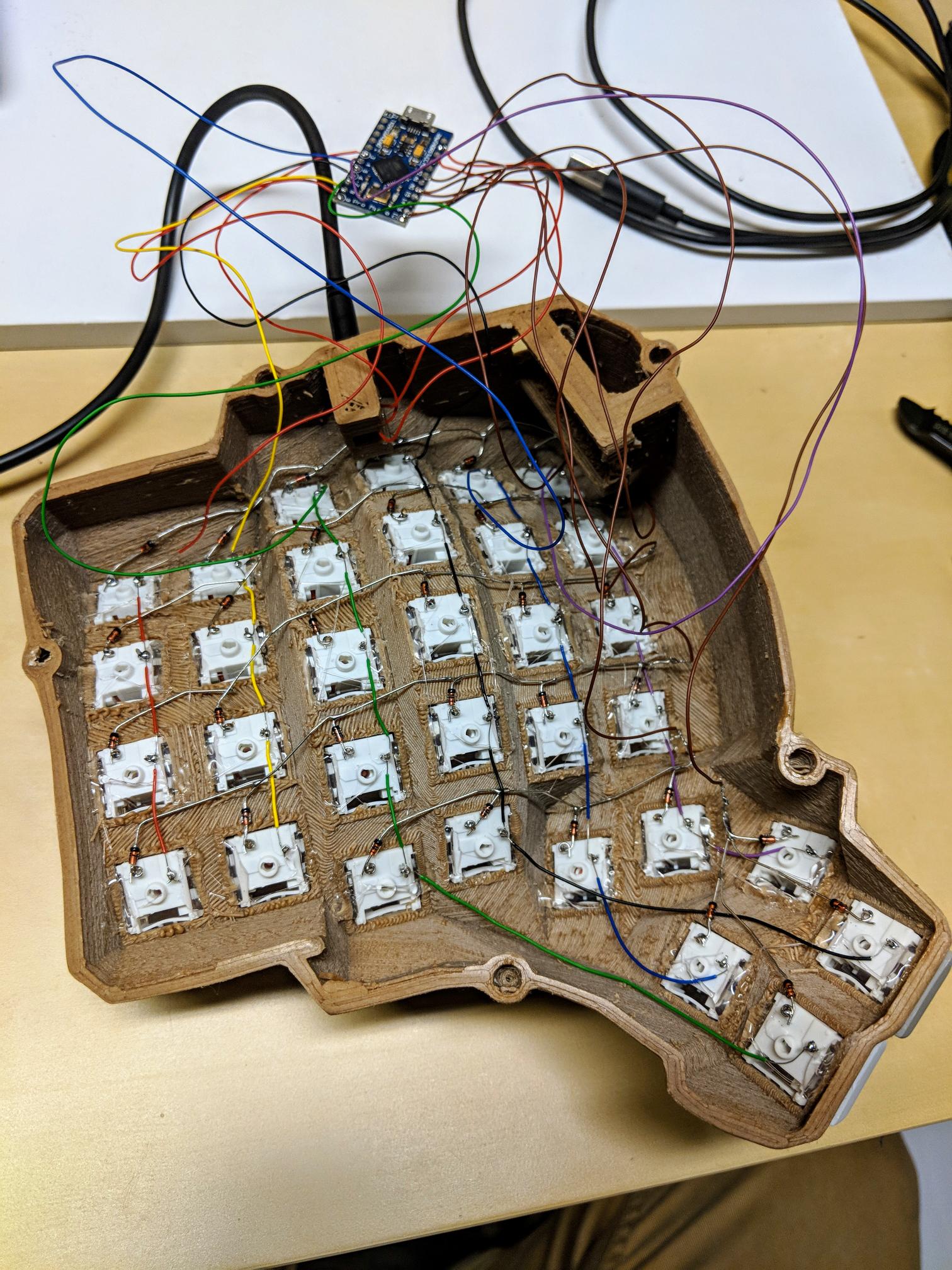
    Wiring completed. This is probably 10 hours worth. Yes, I’m slow, but yes, this was my first time handwiring a keyboard and I really didn’t want to frack it up.

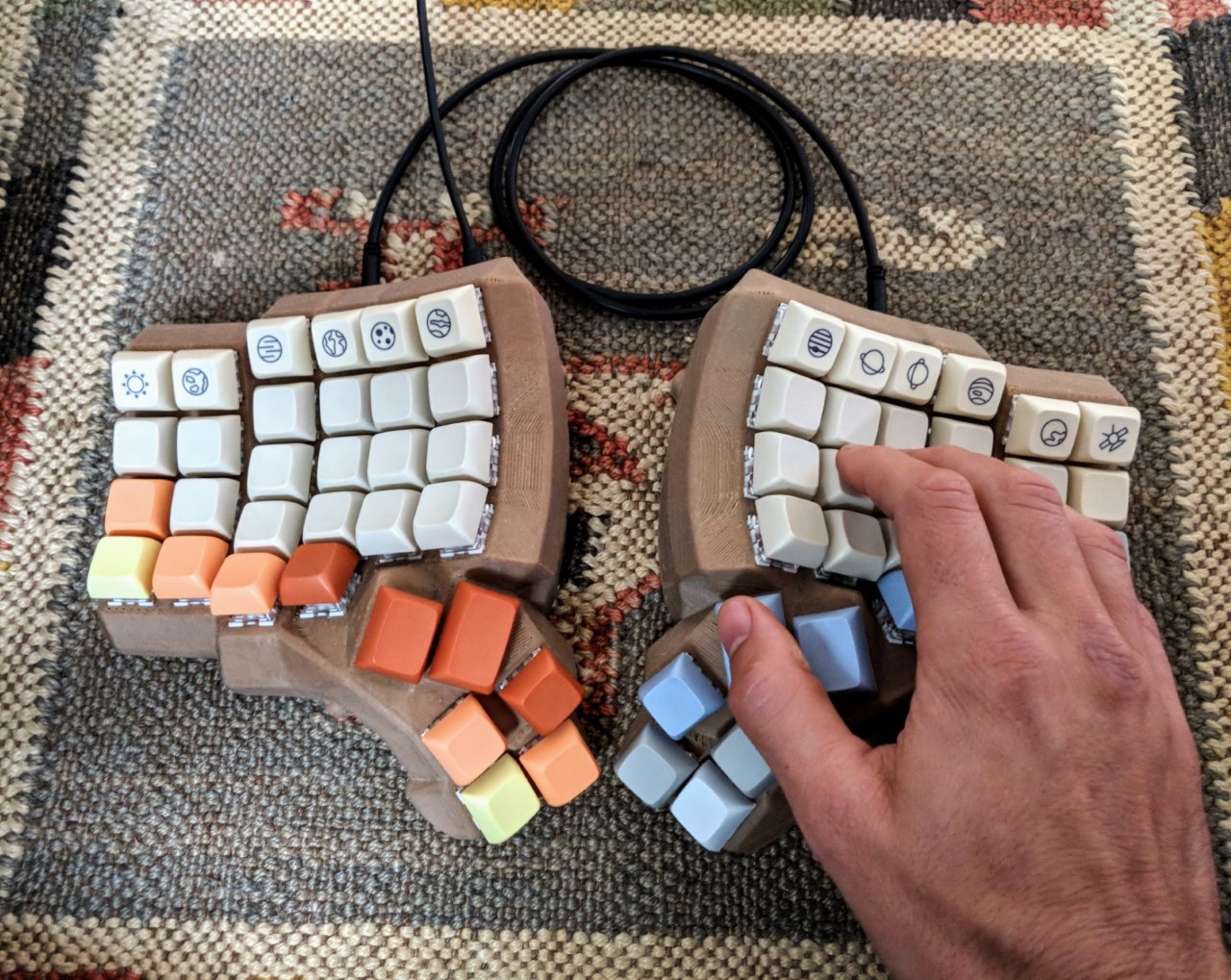
    Finished Product

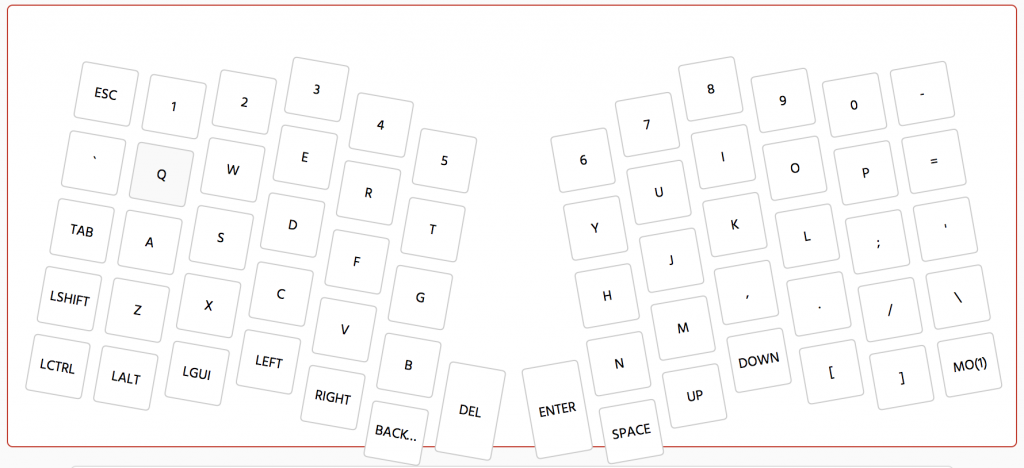
    Key Layout

    Flashing the Firmware

    Start out by downloading QMK toolbox: https://github.com/qmk/qmk_toolbox

    Try loading the default hex as shown by the GUI, connect the left half to USB, with both halves connected together. Short the VCC and a GND port to put it in bootloader mode, and immediately hit ‘flash’ in QMK Toolbox. Then, disconnect the left half and flash the right half the same way, with the same file. Then connect the left half again, and you should be getting letters when you type.

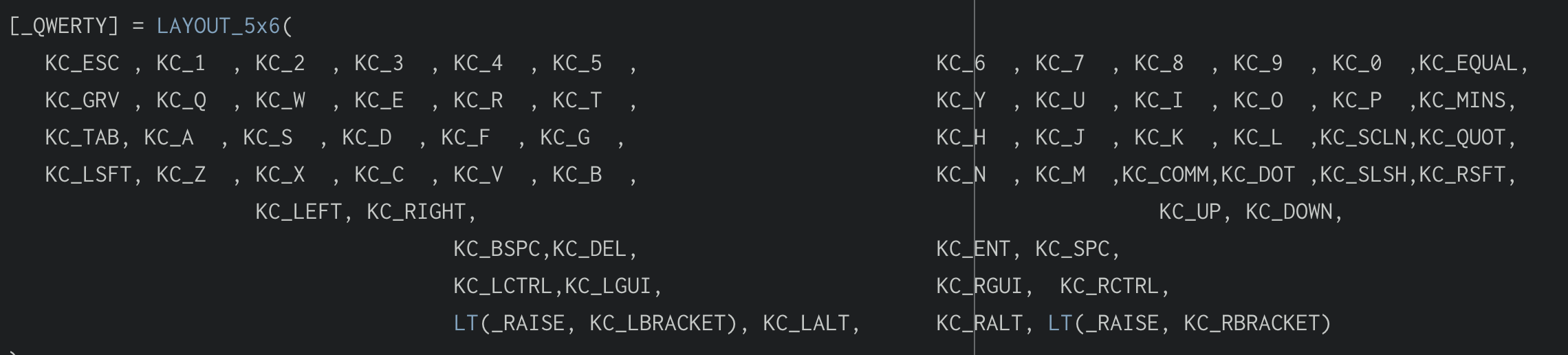
    Now, to create your own hex. Using the latest release of this repo, I followed these directions: https://github.com/qmk/qmk_firmware/tree/master/keyboards/handwired/dactyl_manuform

    (i.e. navigate to QMK firmware folder, and use `make handwired/dactyl_manuform/5×6:default` to generate the hex)

    I had to change this bit of code to get it to work properly: https://github.com/technomancy/atreus/issues/34

    You may or may not need to do the following to get to this point:

    Download Xcode Developer Tools from the MacOS App Store.

    Install Xcode Command Line Tools via the terminal.

    Install avr with `brew install avr-libc` in terminal, and run various commands to make sure homebrew is updated/upgraded, etc. This may be helpful: https://stackoverflow.com/a/41030599

    Checked all the keys with http://keyboardchecker.com/

    If you have any keys that don’t register keypresses, try going through and resoldering your connections for those switches. Soaking connections in solder solved my issues with missing keys.

  • Conflict

    Conflict

    Conflict breeds intimacy! It’s important!

    – Guy talking really loudly on the phone in my coworking space

  • CA66 Build Complete

    CA66 Build Complete

    I just finished putting together the CA66 kit. So pretty and retro with SA keycaps.
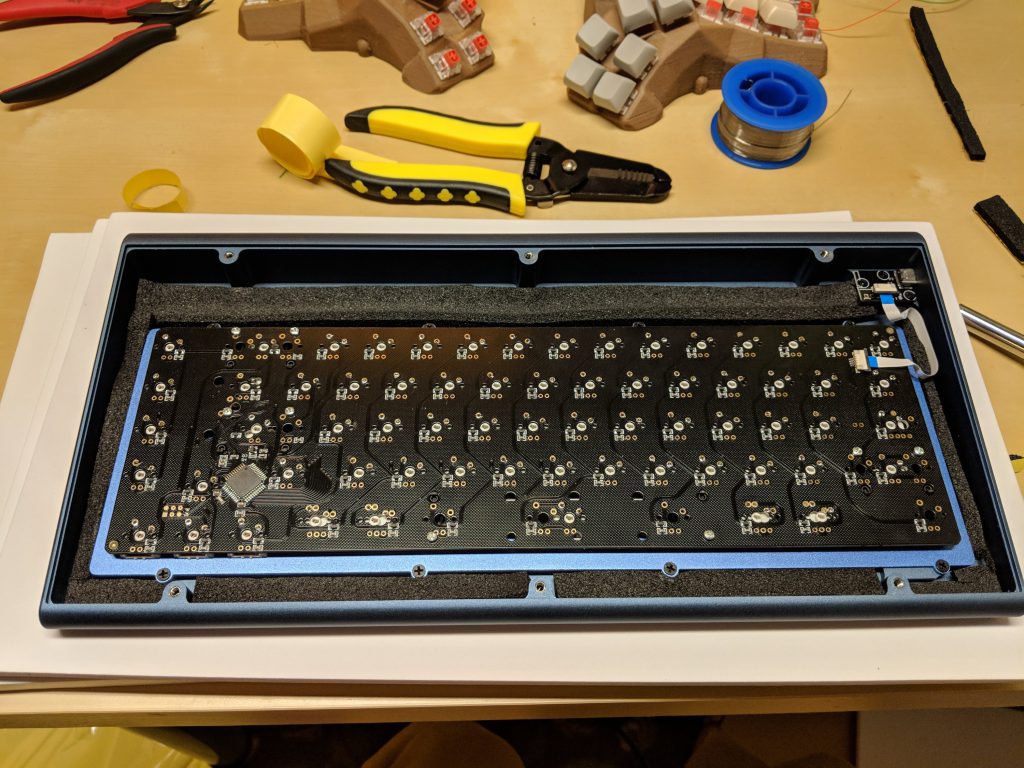
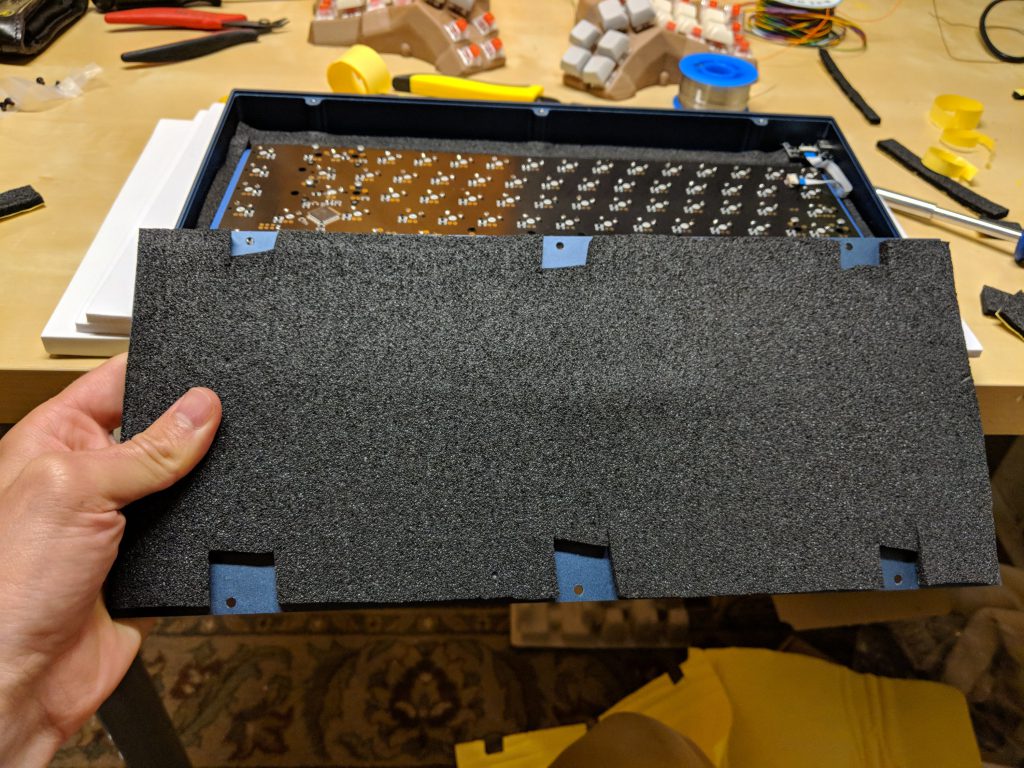
    Caps: SA Dasher

    Switches: BOX burnt orange

    Things I learned:

    • CA66 doesn’t work with plate-mount stabilizers, despite having a plate. You have to get PCB-mount cherry stabilizers.
    • You have to really soak the holes with solder and get it to flow into the hole to get the connection to work properly. I had a few switches that weren’t registering, and I soaked them with solder and they work fine now.
    • 1.75 shifts are sometimes hard to find.
    • Sound dampening foam for car doors works great for the inside of cases.


    Links:

  • Autocomplete Subscription Renewals WooCommerce

    Autocomplete Subscription Renewals WooCommerce

    The default behavior of WooCommerce is to place orders for physical products in the ‘processing’ status. If you would like to auto-complete all orders with successful payments, including subscription renewals, here’s a free mini-plugin which will do that:

    https://github.com/jrick1229/woocommerce-subscriptions-auto-complete-orders

  • Quick Guide: How to edit keymap on Atreus62

    Quick Guide: How to edit keymap on Atreus62

    Did you get a pre-built Atreus62 from Profetkeyboards.com with no clue how to edit and re-flash your layout? Here are the steps I took to get it working on a Mac. YMMV:

    1. Download the QMK firmware by following the QMK quick start guide.
    2. Create your custom keymap as per the docs.
    3. Go to the Quick Start guide and install avrdude
    4. Determine the path to the keyboard by running some terminal commands. Note: when it says to put your keyboard in bootloader mode, all you have to do is get a paperclip and stick it in the hole in the back of the atreus62. You now have 8 seconds of bootloader mode. (tip: you can also activate Bootmagic)
    5. Flash your hex to the keyboard by putting it in bootloader mode and running the terminal command as shown a little farther down here. For example, in my case,
      avrdude -p atmega32u4 -c avr109 -U flash:w:atreus62_mylayout.hex -P /dev/cu.usbmodem1411

    That’s it! From here on, I can tweak the layout, compile the hex, and flash it.

    Here’s my current layout:

  • Confirm WooCommerce Subscriptions Cancellation

    Confirm WooCommerce Subscriptions Cancellation

    We recently witnessed some issues occurring when customers using WooCommerce and Subscriptions deleted their payment methods (when they have a credit card “on file”). When they also have active subscriptions using the card they just deleted, most customers don’t realize that they also have to update their card for each of the active subscriptions.

    We’ve added a more robust way of dealing with this to the Subscriptions roadmap, but in order to stem the bleeding from the immediate issue, I whipped together a mini-plugin that will pop up an alert whenever a customer deletes a payment method.

    The plugin can be downloaded for free here: https://github.com/Prospress/woocommerce-subscriptions-delete-payment-method-confirmation

  • Logging errors in WooCommerce

    Logging errors in WooCommerce

    Tracking down errors in PHP can be tricky sometimes, but WordPress and WooCommerce have some built in logging to make it easier. Here are a few snippets for future use:

    WP_Debug logs

    First, you need to turn on wp_debug and logging in your wp-config.php file. This will create a debug.log file in your wp-content folder, which you can then view errors on. This is how I do that:

    // Enable WP_DEBUG mode
    define('WP_DEBUG', true);
    // Enable Debug logging to the /wp-content/debug.log file
    define('WP_DEBUG_LOG', true);
    // Disable display of errors and warnings
    define('WP_DEBUG_DISPLAY', false);
    @ini_set('display_errors',0);

    Then, you can output specific variables or functions to that debug log.
    Some examples:

    • To view contents of variables, output vars inline in code using
      error_log( 'In ' . __FUNCTION__ . '(), REPLACE_WITH_VARIABLE_NAME = ' . var_export( $REPLACE_WITH_VARIABLE_NAME , true ) );
    • To backtrace which functions are using a function
      error_log( 'In ' . __FUNCTION__ . '(), backtrace = ' . print_r(debug_backtrace(DEBUG_BACKTRACE_IGNORE_ARGS), true));

    WC Logs

    To access the results of the log easily from the dashboard, you can log to a WC logger rather than the error log. You can access error logs by going to WooCommerce > System Status > Logs.

    You can then select the error log file you need and click “View”. This will give you any debugging information that you can copy and share, which is super helpful for the support team. Error logs are also located in the /wc-logs folder within your site install.

    Example of running a stack trace on a caught exception:
    // Log any exceptions to a WC logger
    $log = new WC_Logger();
    $log_entry = print_r( $e, true );
    $log_entry .= 'Exception Trace: ' . print_r( $e->getTraceAsString(), true );
    $log->add( 'new-woocommerce-log-name', $log_entry );

    Note: this method is updating as of WC 2.7

    Starting with WooCommerce 2.7 3.0, logging can be grouped by context and severity. For example:
    $logger = wc_get_logger();
    $logger->debug( 'debug message', array( 'source' => 'my-extension' ) );

    I will try to add to and refine this list as I get more logging tools in my toolbelt.

  • A new job! (pants optional)

    A new job! (pants optional)

    After 3 years working for IronGate Creative, I’ve accepted a position at a new company that will allow me to work remotely full time. I’m super stoked to be on board with Prospress, one of the larger players in the WooCommerce plugin space and general believers in open source software and improving the world.

    My new title is still undetermined, but I’m guessing it’ll be somewhere between “Code Detective,” “Support Sleuth,” and “Bug Squasher.” The position is based on the idea of a “Support Engineer,” but I don’t feel like that’s really following the trend of modern tech companies giving their employees catchy titles like “Happiness Engineer,” “Growth Hacker,” or simply “Ninja.”

    I’ve passed my Lead Developer torch on to someone who is more than capable of filling my shoes, and it is with some nostalgia that I hand over the reigns of some of my beloved projects. I won’t miss commuting, though.

    As I embark on this new position, I’m excited to see how working with a new team will increase my learning curve, as well as how working remotely will decrease my stress. When I told my wife I’d be working remotely full time, she said, “Is this going to affect your hygiene?”

    We all have different priorities…

  • Retro Reggae Posters

    Retro Reggae Posters

    My buddy Zack asked me to make another poster for his reggae night. In doing so, I found a couple of other old ones and I thought post them up here. Full disclosure, I pull heavily from stock vectors, but I still thought these had a cool vibe to them, and they’ve helped me work on my Adobe Illustrator skills immensely.

    xacto_20161107


    version_2


    version_1

  • the_date() vs. the_time()

    the_date() vs. the_time()

    These two WordPress functions can be somewhat confusing, and and for good reason: they are nearly identical, and used in similar locations. Both are used to display the publish date (and time) of the post. How are they different?

    the_date()

    the_date() will only display the same date once per page. This is designed to be used primarily in post lists where you want to group posts by publish date, and it would be redundant to show the same date twice.

    For example,

    <?php 
    if ( $the_query->have_posts() ) : while ( $the_query->have_posts() ) : $the_query->the_post();
    
    the_date('Y-m-d', '<h5>', '</h5>'); 
    the_title();
    
    endwhile;
    endif;
    ?>

    Might produce a list of posts like this:

    2017-4-12

    Test Post

    Another Post

    2017-4-11

    A third post

    A final post

    the_time()

    the_time() is more commonly used to get nearly the same results. It will display the date (and time) every time it used, whether on an archive or post template. Similar to the_date(), it must be used within The Loop.

    If you’re in doubt, use the_time()

    Example usage:

    <div><?php the_time('Y-m-d'); ?></div>

    Formatting

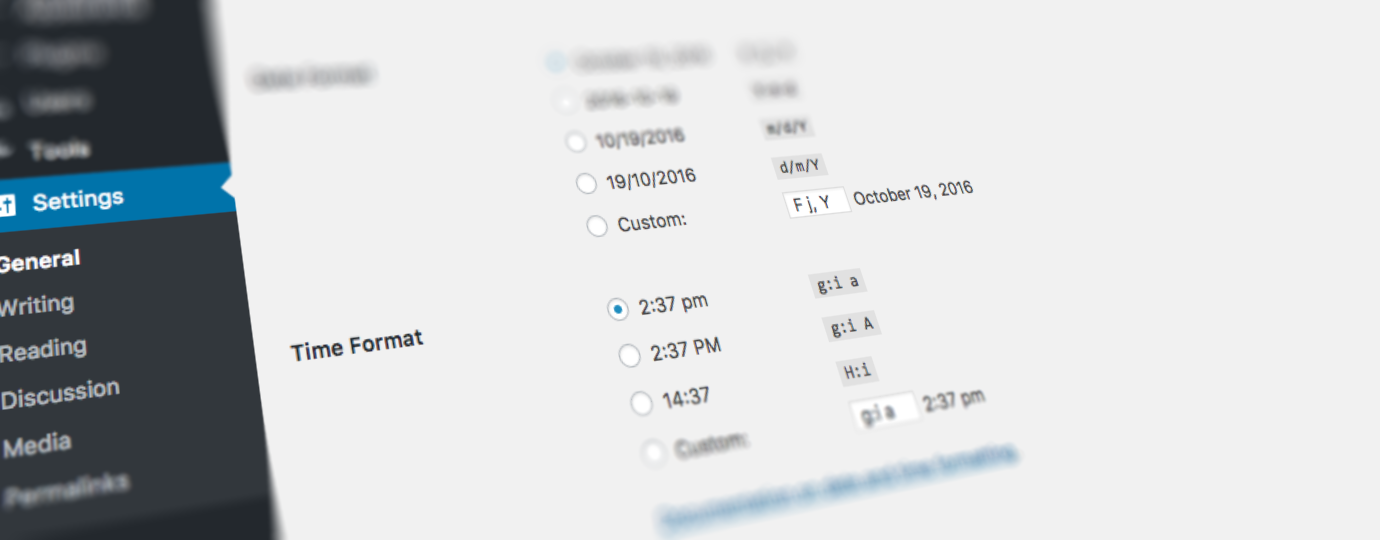
    Both functions use standard PHP date/time formatting. However, in a WordPress context, it’s a good idea to use the format that has been set in the admin interface (that’s the point of a CMS, right??). For example:

    <?php the_time( get_option( 'date_format' ) ); ?>
  • Keeping the Web Boring

    Keeping the Web Boring

    There is a lot of temptation to create overly complicated websites. Whether influenced by the client that always wants the page to “pop,” or simply pulled along by the hype train of the latest JavaScript frameworks, it is often too easy to make things unnecessarily complicated. Web developers also tend to be a clever bunch, and it’s tough to resist the temptation to flex one’s cleverness.

    Here are a couple of fittingly short, uncomplicated opinion pieces on why it’s best to be boring and simple:

    also, related:

  • Ergodox with Datamancer keycaps

    Ergodox with Datamancer keycaps

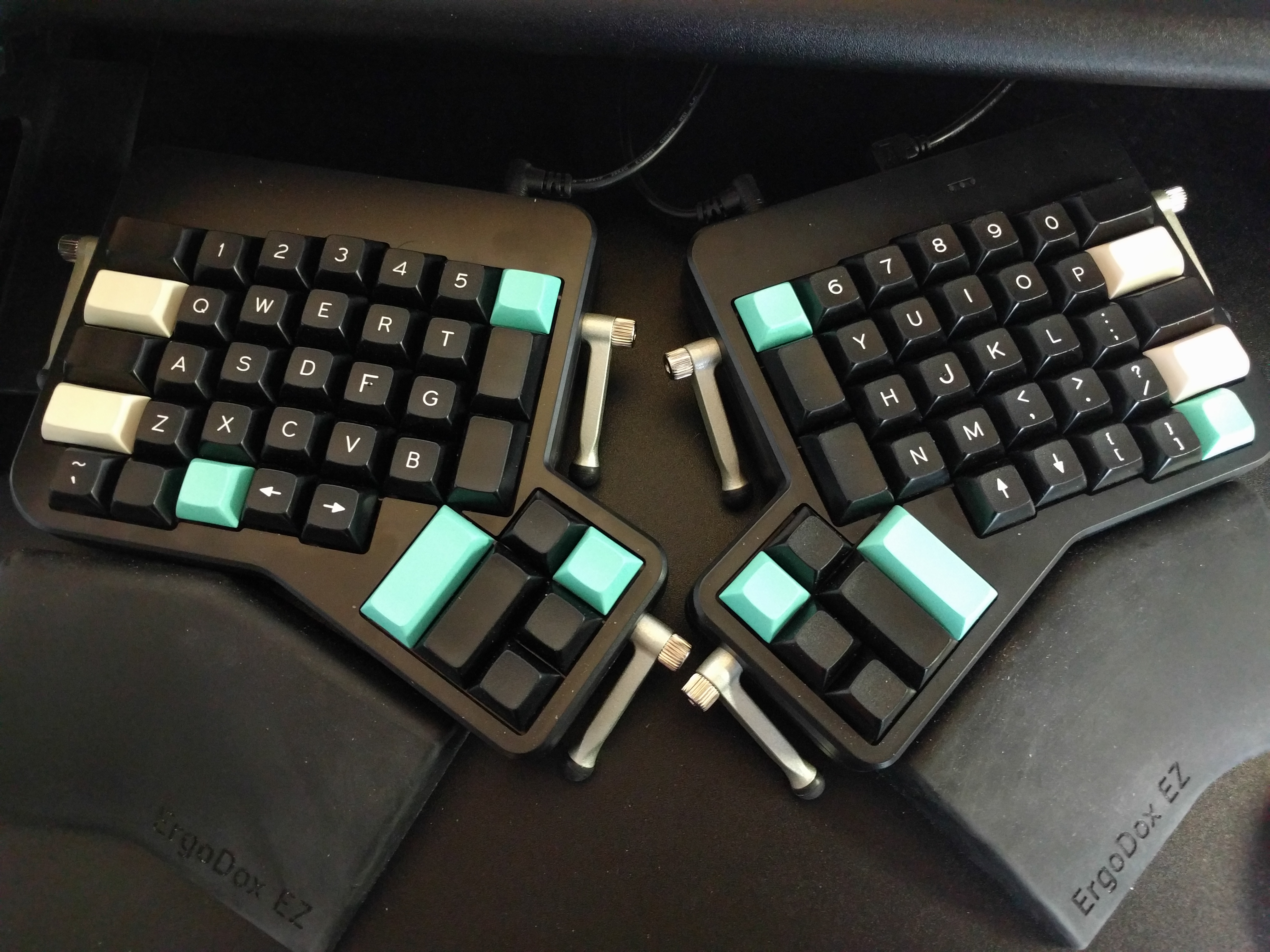
    When you work on front of a computer all day, your keyboard becomes very personal. I love stumbling across unique keyboards, and this one certainly fits the bill. Here’s an Ergodox EZ with Datamancer keycaps. It’s like the clash of two worlds for me: the keyboard I type on daily and my grandmother’s preferred way to write paper mail. Very cool.

    B9BRGCEXHAc7ztR8vzfYUeeE_dzKl0l2YoEFoxnAZtk

    Source

  • Screen Brightness for MacOS

    Screen Brightness for MacOS

    Like many people, I have issues with varying screen brightness when working long hours or in low-light situations. The issue is particularly apparent when switching from a full-screen text editor with a black background to an achingly bright Google search window.
    My solutions thus far have been running f.lux, which changes the color warmth of your screens based on time of day, and wearing out the brightness toggle keys on my keyboard.

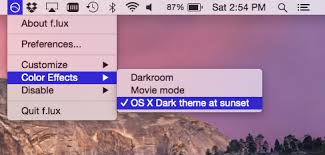
    f.lux

    f.lux is an application that has been around since 2009, and has a large support base. It works by changing the screen color (warmth). You can set it to change automatically with the time of day or, like I do, just set a standard warmth to help prevent squinting and eye strain during periods of prolonged exposure to white backgrounds.

    One huge pitfall of f.lux is that you should be very wary of using this program if you are working with any graphics or design-related projects, as it will completely throw off your colors. I made the mistake of creating a poster design, handbill design and web graphics for a music festival only to realize when we received the printed product that there was almost no yellow or orange in the design, all of which I blame on my use of f.lux.

    images

    Shady

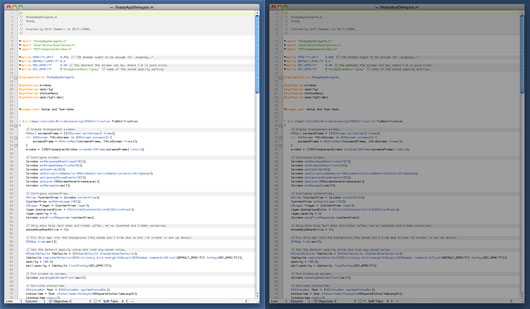
    If you are looking to reduce your screen’s brightness well below the default minimum, or at smaller increments, then try Shady. It works by adding a transparent overlay over your display and changing the transparency of it. It’s a pretty simple application of apparently legit origin, and likely low processing overhead.

    shady_before_after

    Lumen

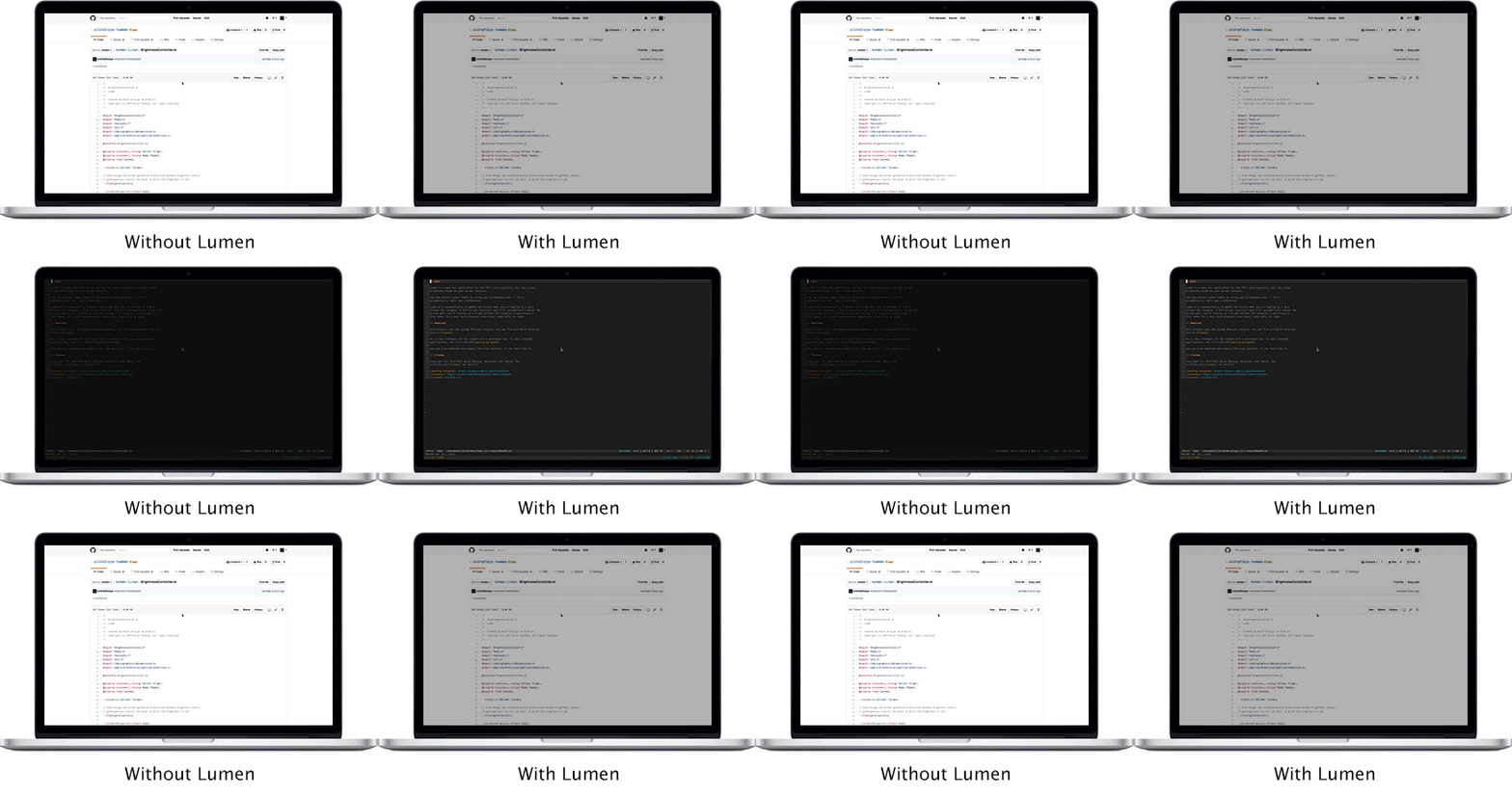
    I just stumbled across an interesting new approach that makes me wish I had thought of it: a program that sets the screen brightness based on your screen contents.

    Called Lumen, it appears to solve one of the main issues I have with my otherwise perfect screens. Check it out!

    Note: as of this posting, Lumen doesn’t appear to work with multiple monitors, and running alongside f.lux is untested.

    demo


  • Social VR is weird. Really weird. And probably the future.

    Social VR is weird. Really weird. And probably the future.

    I got nauseated for the first time in VR today, and I’m still not sure if it was from losing my VR legs for a minute, or if it was because chat rooms in VR can get super weird. And there was a baby.

    When Facebook bought Oculus in 2014 and declared social VR to be the future, there were many that were dismayed by the idea, as if the dark overlord had just revealed his plans to control, and therefore ruin, their VR dreams. Mark Zuckerberg has reiterated on numerous occasions that “VR is going to be the most social platform,” and though I agree with him, it is unfathomable to me that people think that he came up with this idea, or will be in any way able to dominate the space.

    Snowcrash (1992)
    Snowcrash (1992)

    The dream of social VR really goes back to Snow Crash (Stephenson, 1992), where the “Metaverse,” a virtual alternate reality that is reached by using one’s computer to interact with others using your avatar, is laid out in great world-building detail. I know that Gibson started pulling at a similar thread in Neuromancer (1984), but I don’t think he fully realized the extent to which social interaction would act as VR’s raison d’être. Like many others, I consumed the book within a few years of its release not quite grokking that VR would someday soon be realized.

    The dream resurfaced in 2003 when Second Life launched, a massively multiplayer online, and ultimately clunky and disappointing, video game aimed at providing a user-created, persistent virtual world. I was fascinated by the idea behind it, and spent far too many hours suspending disbelief in the primitive graphics and low frame rates.

    Though the technical challenges of relatively low internet speeds and the game’s way of delivering graphics (the server would generate the image and send the image to the user) proved to be too much for the success of the game, it was at least a successful step in the direction of the dream of the social virtual world. Yes, there was a lot of weird stuff in Second Life too, from sex dungeons to griefers, but it still felt enough like a video game – 2d screen, clunky controls – that it never really impacted me in a negative way.

    Fast forward to today, when technology is finally starting to catch up with the VR dreams of 25 years ago, there are multiple social VR platforms, and I entered one with no reservations. After a couple of false starts getting things set up, I finally found myself in a room with about 15 other floating avatars hanging around a huge screen showing YouTube videos. There was an interface where anyone can search for and add videos to the list, vote on which one they want to see next, and vote to skip the one currently playing.

    I was immediately hit with a wave of anxiety, which is weird, since I’ve been comfortable with every other VR game I own and have played for a couple of months, and spent countless hours in my 20’s playing social games on 2d screens. This time it felt more real, more immediate. More weird. A video of someone in a wheel chair sloppily eating a chili dog was quickly followed by real footage of Hitler giving a speech, and one of the avatars immediately stood in front of the screen and started shooting ‘applause’ emoji out of his head. After retreating to the back of the room and asking a few questions about how the video interface worked, and about halfway through the subsequent borderline softcore porn Nicki Minaj video, the baby appeared.

    BABY_GettyImages_86481433

    Well, child, I guess. Their avatar was about half as tall as the other avatars, which makes sense in retrospect, since the headsets are tracked in space, and the kid was actually closer to the ground in real life; it was actually a toddler on the other end, donning a VR headseat and fully engrossed. The short avatar was waving their Vive controllers at other people, saying “hi!” and mumbling lots of nonsense, as toddlers tend to do. I was both hit with a jolt of cuteness because, well, toddler mumbling is cute, and a wave of dread, since there are so many potential ramifications of a tiny child wandering around unsupervised in a VR social space. When a death metal video came on the screen and someone said suggestively next to the child, “this song makes me want to kill my parents,” a couple of us went in search of a mod to try and kick the pint-sized orphan out for their own good.

    Social VR has a lot of potential – the immediacy of VR can convey emotion in highly concentrated doses – but much like Reddit or other social platforms, it will only truly shine when heavily moderated, and therefore is perceived as safe. A VR version of 4chan’s /b would be truly terrifying. Call me old and stodgy, but if you’ve never felt the impact of social VR then you don’t yet know how much it starts to feel like real life, and we have established social and legal rules in real life.

    I’m not saying that we should try to rule the VR social space with an iron fist (we know that never works online), but that if we are going to have little kids running around, probably unable to distinguish between real worlds and virtual worlds, then we need to start putting some serious though into how all this is going to work. Because the dream is finally here, and everyone should pay attention.

    As I ripped off my headset last night and tried to recover from my persistent feeling of sweaty nausea, I questioned whether what I had experienced was good or not. I think, just like life, social VR is both good and bad, and extremely weird, and that alone is enough evidence to show that virtual worlds are finally here.


  • My ErgoDox Keyboard Layout

    My ErgoDox Keyboard Layout

    After nearly a couple of decades playing drums and hammering away at keyboards with horrible posture and typing skills, my repetitive stress pain in my hands and arms have led me to this decision to type on an ergonomic keyboard. As strange as it looks, the ErgoDox is pretty comfortable once you get used to it. Sure, it may take a few weeks of frustration before your brain releases the old ways, but it seems worth it so far.

    IMG_20160701_101832
    The ErgoDox EZ comes pre-built. Those are custom colored keycaps I put on to help my brain with the unlabeled keys.

    One of the great things about this keyboard is that the keys are fully customizable. My preferred layout isn’t much different than the current default, but I’ve changed a few keys around to match my commonly-used functions. For example, I tweak my music volume and screen brightness regularly, and wanted those to be easily accessible (on MacOS, Pause and Scroll Lock adjust screen brightness, and modified with ‘ctrl’, adjusts the secondary screen brightness, if you have one). Here’s my layout:

    Screen Shot 2016-07-01 at 10.41.20 AM

    How to customize your ErgoDox key layout:

    1. Go to the Massdrop Configurator and create your layout, then download the hex file
    2. Download and install the Teensy loader
    3. Click the ‘auto’ button and drag the hex file into the Teensy loader (here’s mine if you want to use it)
    4. On your ErgoDox, hit the Teensy button. This is either assigned to a key on your keyboard, or you can stick a paperclip into the tiny hole on the top right of the keyboard and hit the hardware Teensy button
    5. That’s it!

    Note: When you first plug an unusual keyboard into MacOS, you must go through the keyboard setup process that pops up. That process is quick and painless, but if you back out of that, even if by accident, you will have a hard time getting that setup window to retrigger.

  • Sparrow, oil on board, 18×24 in.

    Sparrow, oil on board, 18×24 in.

    Every once in a while, among the piles of meme-filled dreck, something really poignant gets posted to reddit. This particular one is a bit dark, but it’s a great example of the story behind the artwork being the driver of emotion. Credit to marksonwalls for his great, and somewhat disturbing, art.

    Sparrow, oil on board, 18x24 in. - marksonwalls 2016 - click for larger
    Sparrow, oil on board, 18×24 in. – marksonwalls 2016 – click for larger

  • Taylor Land Services

    Taylor Land Services

    There’s still a place for commercial themes.

    An old acquaintance called up asking for help: he was rebranding his family business with an emphasis on heavy machinery and he wanted help with a website and logo. I said sure, as long as he wouldn’t mind using a pre-made theme.

    It had been so long since I had tried to quickly throw together a website that I had forgotten how amazing it is to be able to purchase a decent commercial theme and deploy a site so quickly. We pulled a heavy-machinery-looking font and color scheme and had a site up on super short notice. Fun, so fun.


    screenshot-taylorlandservices org 2016-05-20 11-13-58


    Link to Site

  • Reid Health

    Reid Health

    Acted as lead developer on complete redesign and overhaul of hospital website as they transitioned to an umbrella health organization.

    We used WordPress as a CMS to provide a user-friendly experience for the non-tech-savvy content administrators. Heavy use of custom fields allowed us to provide places for lots of custom editable content while preventing design creep.

    The entire project took nearly a year to complete, and involved cutting a many-thousand-page website down by a factor of ten to allow for future growth in a much more organized fashion.

  • Weather Dashboard

    Weather Dashboard

    Last year, we installed a wi-fi enabled weather station on our property: the Rainwise MK-III-LR. Every few seconds, it sends updated weather data to the cloud. We chose to route the data to Wunderground, allowing it to be a peer among many personal weather stations in the area, which also opens up the data to the public.

    It turns out that the Wunderground API is pretty robust, and I was considering writing a WordPress plugin that would allow you to specify any weather station and have the information display on your site. Unfortunately, the API limits each user to a fairly small amount of monthly calls, unless you want to pay real, cash money. Therefore, to use the plugin, you’d have to sign up for a developer account on Wundergound and use your own API token, which might be a bit above the average blogger’s desire.

    Until I find a better solution, I’ll post the code here that I used to display my personal weather data on the farm website.

    First, here’s the display on the front end:

    Screen Shot 2016-05-19 at 12.31.07 PM


    To generate the view on the front end, first I added some HTML.

    <h4>Weather as reported by wx station KINRICHM9</h4>
    <span id="time_since_observed"></span><span id="offset"></span>
    <table class="table table-striped wx">
        <caption><h5>Current Conditions</h5></caption>
        <tr><td>Temp:</td><td><span id="current_temp"></span></td></tr>
        <tr><td>Dewpoint:</td><td><span id="dewpoint"></span></td></tr>
        <tr><td>Relative Humidity:</td><td><span id="humidity"></span></td></tr>
        <tr><td>Wind Speed:</td><td><span id="wind_speed"></span></td></tr>
        <tr><td>Wind Direction:</td><td><span id="wind_direction"></span></td></tr>
        <tr><td>Barometric Pressure:</td><td><span id="baro"></span></td></tr>
        <tr><td>Pressure Trend:</td><td><span id="baro_trend"></span></td></tr>
     </table>


    Then, we need to make the call to the API with JavaScript.

    <script>
     jQuery(document).ready(function($) {
       $.ajax({
       url : "http://api.wunderground.com/api/REPLACE_WITH_YOUR_API_TOKEN/geolookup/conditions/q/pws:KINRICHM9.json",
       dataType : "jsonp",
       success : function(parsed_json) {
        var time = parsed_json['current_observation']['observation_time'];
        var time_offset = parsed_json['current_observation']['local_tz_offset'];
        var temp_f = parsed_json['current_observation']['temp_f'];
        var temp_c = parsed_json['current_observation']['temp_c'];
        var hum = parsed_json['current_observation']['relative_humidity'];
        var dewpoint = parsed_json['current_observation']['dewpoint_string'];
        var wind_speed = parsed_json['current_observation']['wind_mph'];
        var wind_knots = Math.round((wind_speed / 1.16) * 10) / 10;
        var wind_degrees = parsed_json['current_observation']['wind_degrees'];
        var baro = parsed_json['current_observation']['pressure_in'];
        var baro_trend = parsed_json['current_observation']['pressure_trend'];
        var baro_trend_text = "Can't calculate (I broke my abacus)";
        if (baro_trend == "+") { baro_trend_text = "Going up, yay!"};
        if (baro_trend == "-") { baro_trend_text = "Going down&hellip;"};
    
       $( "#time_since_observed" ).replaceWith(time);
       $( "#offset" ).replaceWith("(UTC " + time_offset + ")");
       $( "#current_temp" ).replaceWith(temp_f + " F (" + temp_c + " C)");
       $( "#humidity" ).replaceWith(hum);
       $( "#dewpoint" ).replaceWith(dewpoint);
       $( "#wind_speed" ).replaceWith(wind_speed + " MPH (" + wind_knots + " knots)");
       $( "#wind_direction" ).replaceWith("From " + wind_degrees + "&#176; true");
       $( "#baro" ).replaceWith(baro + " inHg");
       $( "#baro_trend" ).replaceWith(baro_trend_text);
    
      }
     });
    });
    </script>

    It should be noted that this only updates on page refresh, and is really just a test to see if the API would access our weather data.


    Link to website

  • Hunting Check-In

    Hunting Check-In

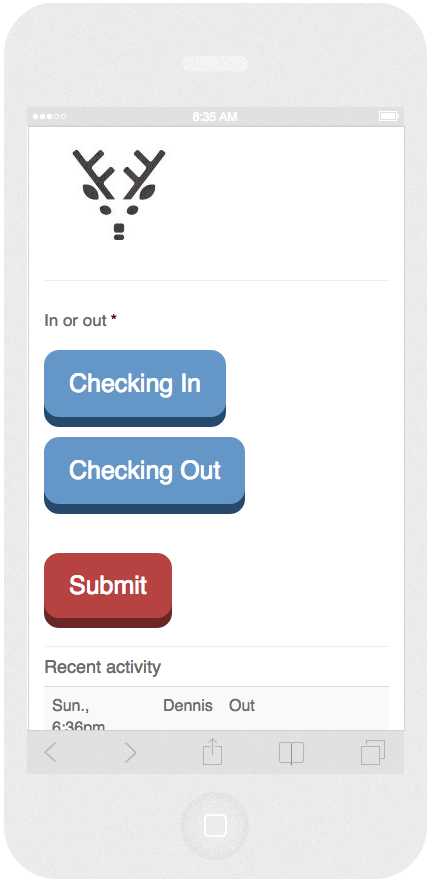
    Sometimes, a simple solution is all that is needed for a simple problem. As is common for developers and programmers of all varieties, I can’t help but enjoy finding a clever solution to a particular problem, but that pales in comparison to the joy that I obtain from coming up with a dead simple, smack-you-in-the-forehead answer. I call that being smart, not clever.

    The farm property that I live on had an issue with multiple people wanting to use the land during hunting season, and no communication about who needs what area. Because two of the people were hunting, no other people could use the same area at the same time.

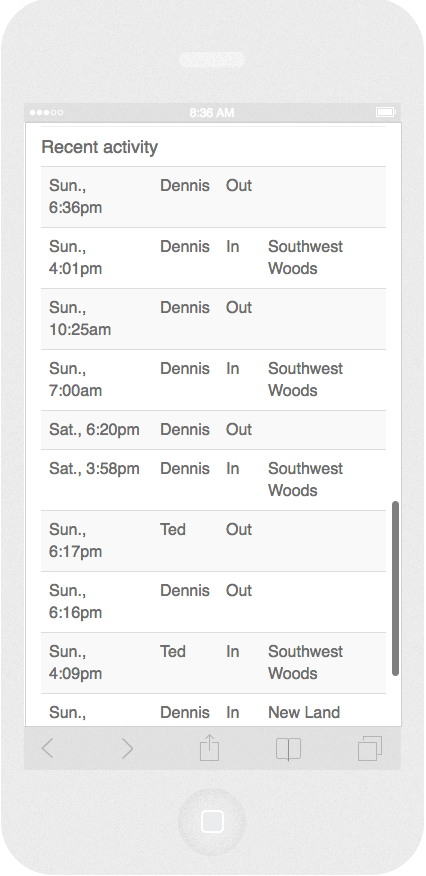
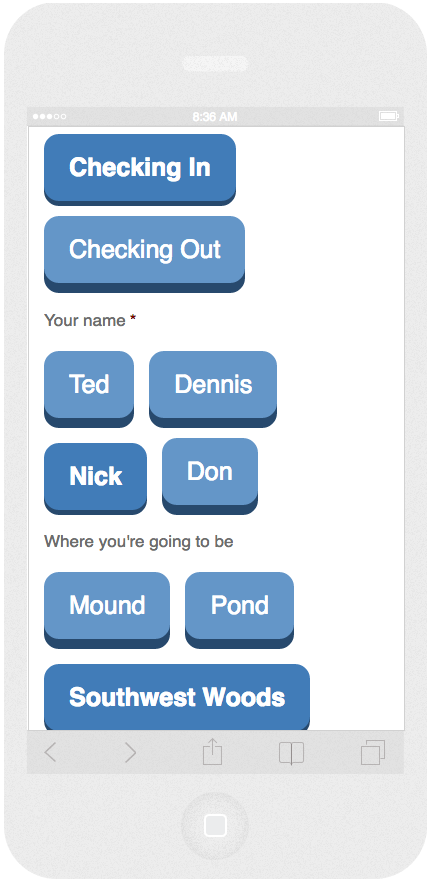
    First, we tried a whiteboard, but nobody used it. So I created the electronic equivalent of a whiteboard, and it was wildly successful. I made a simple form with large, glove-friendly buttons (think hunter at 6am using his iPhone in an Otter Box), and a simple list showing who went where at what time. It would then be up to each person to see where the other(s) had gone and avoid their area.

    It didn’t require a feat of programming. It didn’t require astounding design. It wasn’t an interactive map that required GPS permissions. It simply matched the problem at its level of simplicity, and therefore succeeded. It just required me putting my “clever” ego aside and letting the simple solution work.

    Screen Shot 2016-05-19 at 08.36.40 AM

    Screen Shot 2016-05-19 at 08.37.11 AM

    Screen Shot 2016-05-19 at 08.37.30 AM


    Link to Page